I have Win10 Anniversary and tried installing Creators update but received the "system thread exception not handled" error. It seems as though this error occurs due to the use of parallels display adapter (http://kb.parallels.com/en/122807). Thus, I reinstalled Win10 Anniversary but did not install parallels tools. This results in Win10 using default win display driver (1024x768 resolution) which is OK. Now, you can download Windows 10 Update Assistant and install Creators update w/o difficulty (https://www.microsoft.com/en-us/software-download/windows10 and click on Update Now). After update completes, you can then install parallel tools to get appropriate resolution. Hope this helps.

Install the app
How to install the app on iOS
Follow along with the video below to see how to install our site as a web app on your home screen.
Note: This feature may not be available in some browsers.
You are using an out of date browser. It may not display this or other websites correctly.
You should upgrade or use an alternative browser.
You should upgrade or use an alternative browser.
PSA - Creators update and Parallels 12
- Thread starter Rajanish
- Start date
Karthik@Parallels
Member
We suggest you to update Parallels Desktop to the latest build and check if the issue persists or not.
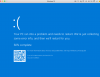
Hi! I have the same issue! Today when I started the computer/mac I was urged to update parallels tools. I have the latest one, 12.2.0. Now my VM, windows 10 Pro doesn't start at all. I don't even get the login prompt, nor can I restart in safe mode. It get the blue screen!
Pls assist!
Pls assist!
Attachments
Karthik@Parallels
Member

Maria@Parallels
Problem solver
Hi @JohanW2 , did you try to repair your Windows VM?
No, nothing that we came up with helped. Tried to repair, tried to do a parallels reset, tried to do a windows reset, tried to do a windows rollback to previous store point, manually scan disk from command prompt, safe mode.. I think we tried everything without success. Boot camp assistance didn't even find the partition. We finally dropped/deleted everything, and reinstalled everything from scratch. Sadly, this is very time consuming as I have many, many developer tools and the installtion is time consuming. I think I reconsider some manually backup in the future as every reset/rollback/previous build didn't work..