
cats11112b
Bit poster
I have recently bought Parallels, yesterday I decided to install the Parallels transporter to move my Windows Computer to my Mac.
4 hours later it has transferred everything and it started to boot (it was taking ages so I left it) and 8 hours later it was still booting so I decided to shut down the VM and start it again.
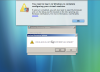
After restarting it came up with this message:
"You need to log in to Windows to complete configuring your virtual machine."
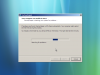
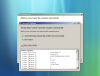
I pressed ok and it started to boot - it then asked me to choose what keyboard language I wanted - this then lead to a system recovery screen which eventually came to a point where it said it couldn't fix the problem and asked to be restarted.
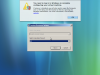
This then lead to a parallels screen saying:
Upgrading Windows Vista PC…
Preparing to configure your virtual machine
After that had finished it showed the same: "You need to log in to Windows to complete configuring your virtual machine." and the whole process started again causing an infinite loop.
- The "You need to log in to Windows to complete configuring your virtual machine." message gave a link which I clicked which gave instructions about logging in - but I can't get that far!
I then tried using Parallels Transporter all over again and redownload the PC and it came up with the exact same issue - how can I solve this problem?
I really want to get this working so I can chuck away my old Windows Laptop and work from my super speedy mac - at the moment I feel as if I have wasted my money.
See below for the screenshots

4 hours later it has transferred everything and it started to boot (it was taking ages so I left it) and 8 hours later it was still booting so I decided to shut down the VM and start it again.
After restarting it came up with this message:
"You need to log in to Windows to complete configuring your virtual machine."
I pressed ok and it started to boot - it then asked me to choose what keyboard language I wanted - this then lead to a system recovery screen which eventually came to a point where it said it couldn't fix the problem and asked to be restarted.
This then lead to a parallels screen saying:
Upgrading Windows Vista PC…
Preparing to configure your virtual machine
After that had finished it showed the same: "You need to log in to Windows to complete configuring your virtual machine." and the whole process started again causing an infinite loop.
- The "You need to log in to Windows to complete configuring your virtual machine." message gave a link which I clicked which gave instructions about logging in - but I can't get that far!
I then tried using Parallels Transporter all over again and redownload the PC and it came up with the exact same issue - how can I solve this problem?
I really want to get this working so I can chuck away my old Windows Laptop and work from my super speedy mac - at the moment I feel as if I have wasted my money.
See below for the screenshots
Last edited:

