prl_naptd process 100% CPU on Mac following update to Parallels 18

NeilM15

Bit poster
Hi - just updated to Parallels 18.3.2 (53621) on MacBook Pro running Mac OS Ventura 13.4.1 (c)
Instant regret.
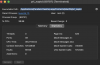
Activity Monitor reports process prl_naptd taking a constant 100% of CPU and the fan on the laptop is running all the time.
This has never been a problem in 4 years of using Parallels on this machine.
Please advise!
 
Hi - just updated to Parallels 18.3.2 (53621) on MacBook Pro running Mac OS Ventura 13.4.1 (c)
Instant regret.
Activity Monitor reports process prl_naptd taking a constant 100% of CPU and the fan on the laptop is running all the time.
This has never been a problem in 4 years of using Parallels on this machine.
Please advise!
Hello,
For us to further investigate this issue, kindly provide us with the following information:
1. Kindly reproduce the issue and collect a technical report (right-click Parallels icon in Dock > Help > Send technical data > check "Attach screenshots..." > press Send Report) and provide us with the report's 9-digit ID in reply to this post.

Thanks
 
Good morning.
Report sent, ID 431023981
Thanks.
Hello,
As per the technical report provided, Parallels Desktop 17.1.7-51588 is currently installed. Kindly confirm if the issue is occurring in this build as well?
Kindly update to the latest build of Parallels Desktop 18.3.2 and collect an additional technical report with the Parallels Desktop 18.3.2 and provide us with report's 9-digit ID in reply to this post.
Thank you.
 
Version 18.3.2 (53621) installed, and Technical Data report 431164596 sent.
prl_naptd still chewing 100%.
Thanks.
 
Additional: prl_naptd stays at 100% even after shutting down the Win10 VM, and all that is running of Parallels is the Control Center.
On shutting down Control Center, prl_naptd also shuts down.
 
I just noticed this process taking 99% CPU while the Parallels app was not running (had been closed for days).
I already force-stopped it, but please let me know what to capture next time (while the app is closed, so no "right-click Parallels icon in Dock"...)
Since it's a network related process, maybe it's not playing nice with my vpn? Just guessing...
 
Back
Top