In order to work on Solaris 11 I got a preconfigured .rar from my teacher. I decompressed the Solaris 11.rar in order to create an .iso on my MAC(created from Disk utility programm MacOS). When I opened the created Solaris.iso with Parallels, it didn't work, I got several error messages. I tried to change the Boot order but it didn't work. Now I have tried VMWare Fusion 10, there I can create a folder where I can put all the files from the decompressed Solaris 11.rar, VMware recognized all the files and I could launch the image but I want to launch it on Parallels otherwise I need to buy a new license for VMWare.

Install the app
How to install the app on iOS
Follow along with the video below to see how to install our site as a web app on your home screen.
Note: This feature may not be available in some browsers.
You are using an out of date browser. It may not display this or other websites correctly.
You should upgrade or use an alternative browser.
You should upgrade or use an alternative browser.
Preconfigured Solaris 11
- Thread starter DanielB15
- Start date
-
- Tags
- image macos solaris 11
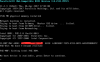

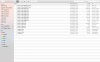
Thank you for your reply, I believe we are almost there. When I chose the .iso "C/Users/MerceD/Downloads.../sol-11_2-text-x86(2).iso" (2nd picture) I get an error message (First picture) -> "Unable to connect CD/DVD 0".
Attachments
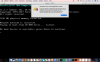
When I decompressed the Solaris.rar I found some vmware.log files maybe I need to delete them, can these log files cause this boot problem ?Thank you for your reply, I believe we are almost there. When I chose the .iso "C/Users/MerceD/Downloads..FileZilla UC Browser Rufus./sol-11_2-text-x86(2).iso" (2nd picture) I get an error message (First picture) -> "Unable to connect CD/DVD 0".
Last edited:
GrayMatter
Member
Here the content of the archive:
What you have there is not meant to be converted to an ISO. That is a pre-configured vmware vm. You need to convert the vmware virtual machine into a parallels virtual machine.
https://www.parallels.com/blogs/convert-vmware-to-parallels/