Poor performance - Java App ( Pycharm Professional)

JohnD102

Bit poster
Hello, I am running Parallels Desktop 20 for Mac ( Pro ) on an M1 Pro with 16 GB memory, with the latest Sequoia version of Mac OS.

Because of the nature of my work, I need to use Virtual machines, so I am running Mac OS guests, also running the latest version of Sequoia.

I use Jetbrains Pycharm Professional for alot of my work. It works perfectly fine on my computer, but the performance is horrible on a Mac OS guest. The poor performance is mostly when using dialogs such as Preferences / Settings but even scrolling in code is poor.

I am using he recommended setting of 4 CPU / 6 GB of ram. I have also tried manually increasing to 6 cpu and 8 Gb of ram. but there is no difference.
The activity monitors on both the host and the guest seem perfectly fine. In fact for the most part only the efficiency cores are being used.

I know my machine is a little light on specs, but before I spend a ton of cash on an M3 or M4 I would like to know if there is a setting I should consider trying.

Thank you
 
Hello,
I'm experiencing similar performance issues, even while working on a machine with an M3 Pro chip and 36 GB of RAM. Scrolling in PyCharm is particularly sluggish, and while VSCode performs slightly better, it's still far from smooth. I've tried increasing CPU and memory resources, but unfortunately, there's been no noticeable improvement.
 
I guess i will stick with vim for now. Maybe I should make a service request.

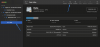
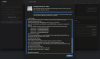
I open a support ticket with the same issue as you have (latest Pycharm, latest Parallels) and they asked me to run the "disk first aid" from inside of the virtualised MacOS (not the Host MacOS). And we found out that the "DATA" disk is broken. It seems to be the rootcause. When I tried to run the disk first aid again in the recovery (which is being recommended by the first aid itself after finding an issue with the disk), the first aid was still not able to fix it. I am still vaiting for the reply from the support about any other ideas, but as a first step, could you please run the first aid too and check whether you have the same issue?

upload_2024-10-2_11-29-10.png

upload_2024-10-2_11-29-51.png
 
I ran First Aid, and no errors were displayed. The strange thing is that I have two Macs with the same specs, and I noticed a significant performance difference in the same version of PyCharm between them. I'm not sure why this is happening. I ran First Aid on both, and no issues were found.
 
well, the aid disk didn't help me neither. I have a support ticket open and they are providing some ideas so once I will have some conclusion, I will let you know, guys.
 
@JohnD102 are you using a magic trackpad or something like this? Because now I'm switch to MX Master 3S and it's working perfectly :-O

You are right, the issue really seems to be linked to using the external mouse. Once I disables mine on the host macos, the issue with lagging disapeared. And sometimes I had to disable the BT completely on the MacOS, restart the VM, enable the BT, but disable the external mouse - works perfectly. I have Apple Mouse at home somewhere, plus the trackpad, so I will try to use those and I will let you know if doesn't work also for those. I had the issue when using the Trust mouse.

This is the reply from the support team. I advice you to subsrcibe to their channel if you are not already.

Hello Miroslav,

Thank you for the provided information.
Indeed, it appears that this case requires deeper investigation, so we have escalated it to the Development Team.
Once there is a response from them - whether it is a request for additional information, a workaround, or a permanent fix - we will let you know.
However, you can at any moment respond to this e-mail (request an update on the status of the issue, ask an additional question, etc.), and the ticket will also automatically re-open.
In addition, you may also subscribe to the following article (Click Get Updates -> Subscribe) https://kb.parallels.com/130212 to be notified when the new update is released and see the list of changes.
In the meantime, until there is any new information, we're temporarily closing the ticket. Please note that this does not mean we deem the issue itself to be resolved.
However, this way we avoid ticket duplication which may increase the time required for a fix as it usually takes time to go into complicated virtualization software.
We will get back to you as soon as we have an update.
Should you have any additional questions, please let us know.

Have a nice week!
Best regards,
--
Pramesh Boodadoo
Customer Support Engineer
||Parallels
 
Back
Top