Permanent Licence not working after upgrade

MartinK8

Bit poster
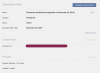
I was told that you don't have to buy a new licence if you have a "Permanent subscription". Which we have:
Screenshot at Apr 30 13-23-25.png
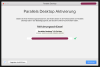
So i upgraded and when asked to entered my old licence key, which was accepted with a green tick mark:
Screenshot at Apr 30 13-25-49.png
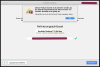
However after submitting the licence it was rejected as invalid.
Screenshot at Apr 30 13-26-37.png
This is quite frustrating. Why pay an annual subscription if you don't even get the newest version all the time and without any trouble?
Questions:
  1. Can I upgrade to Parallels Desktop 13 for Mac without additional cost?
  2. If yes: how is it done.
 
I was told that you don't have to buy a new licence if you have a "Permanent subscription". Which we have:
View attachment 13883
So i upgraded and when asked to entered my old licence key, which was accepted with a green tick mark:
View attachment 13884
However after submitting the licence it was rejected as invalid.
View attachment 13885
This is quite frustrating. Why pay an annual subscription if you don't even get the newest version all the time and without any trouble?
Questions:
  1. Can I upgrade to Parallels Desktop 13 for Mac without additional cost?
  2. If yes: how is it done.
Hello MartinK8, We can see that you reached one of our social channel, please refer to our instructions provided there.
 
I have the same problem as MartinK8. I can't see the instructions provided to him on one of your social channel(s), whatever that(those) might be.
How do I activate PD 13 with the activation key that came with my permanent subscription?
 
I have the same problem as MartinK8. I can't see the instructions provided to him on one of your social channel(s), whatever that(those) might be.
How do I activate PD 14 with the activation key that came with my permanent subscription
 
I have the same problem as MartinK8. I can't see the instructions provided to him on one of your social channel(s), whatever that(those) might be.
How do I activate PD 14 with the activation key that came with my permanent subscription
Hi @Juho, can you please provide the order number for the recent purchase via private message?
 
Hey, I've got the same problem as MartinK8. I had to upgrade my PD12 to PD16 because of Mac OS Big Sur, but I didn't know my permanent licence wouldn't work then. How can I activate PD 16 with my permanent activation key?
 
Hey, I've got the same problem as MartinK8. I had to upgrade my PD12 to PD16 because of Mac OS Big Sur, but I didn't know my permanent licence wouldn't work then. How can I activate PD 16 with my permanent activation key?
You cannot activate Parallels Desktop 16 with an older version key. You have to buy an upgrade to the current version and use it. The key you have for Parallels Desktop 12 is only good for that version.
 
You cannot activate Parallels Desktop 16 with an older version key. You have to buy an upgrade to the current version and use it. The key you have for Parallels Desktop 12 is only good for that version.
Well I'd very much like to continue using PD12, but it's not supported on the current version of Mac OS (why actually?) which I wasn't aware of, so what are my options? Just buy another "permanent licence"? It seems to me "permanent licence" is just PR move from PD and I'm really disappointed. I don't see a reason to pay again for "permanent licence".
 
Well I'd very much like to continue using PD12, but it's not supported on the current version of Mac OS (why actually?) which I wasn't aware of, so what are my options? Just buy another "permanent licence"? It seems to me "permanent licence" is just PR move from PD and I'm really disappointed. I don't see a reason to pay again for "permanent licence".
Hello,
Thanks a lot for your feedback.
We also would like to add, that Parallels is a software company that focuses its resources on creating virtualization software to support both the Mac and Windows communities.
Since Apple releases new operating systems every year, we have to keep our software up-to-date to be compatible with every new OS X getting released annually.
This development is very resource-consuming and comes with costs, and unlike Apple (which sells a lot of hardware products and able to afford free-of-charge OS upgrade) it is not feasible for Parallels to offer no charge upgrades to the new versions of Parallels Desktop.
Thanks a lot for understanding.
 
Hello Maria,
I understand that and I am ok with the fact I can't access PD16. What I am trying to say is that we, customers, should know in advance that the version of PD we use could be supported up to about 4 years and so it should not be called "permanent". If it works worse with the latest version of Mac OS, then I think the decision if I want to upgrade should be up to me and I should not be forced to do so. I did not have such problem with any other software I use over the years and I really think it is not fair game to us.
Thanks for listening.
Radek
 
Back
Top