PD8, Windows 8, Visual Studio 2012 [SOLVED]
MacBook Pro: Intel core i7 2.2GHz, 8GB
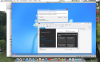
I have Parallels Desktop 8 trial installed, running Visual Studio 2012 Premium on Windows 8. Everything seemed to be fine until I try to create a New Project or Empty Solution in Visual Studio 2012. Choosing everything and final step to click the OK button, but the button is graded out and cannot be selected. I get a "Windows cannot access \\psf\Home\Desktop" Network Error.
I have a Boot Camp version running on a separate partition that works perfectly. Is there a setting in Parallels Desktop 8, that I need to change. I can't purchase the software until, I get this figured out.
Any help would greatly be appreciated.
MacBook Pro: Intel core i7 2.2GHz, 8GB
I have Parallels Desktop 8 trial installed, running Visual Studio 2012 Premium on Windows 8. Everything seemed to be fine until I try to create a New Project or Empty Solution in Visual Studio 2012. Choosing everything and final step to click the OK button, but the button is graded out and cannot be selected. I get a "Windows cannot access \\psf\Home\Desktop" Network Error.
I have a Boot Camp version running on a separate partition that works perfectly. Is there a setting in Parallels Desktop 8, that I need to change. I can't purchase the software until, I get this figured out.
Any help would greatly be appreciated.
Last edited: