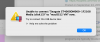
Cannot connect any new USB drive to either macOS VM (Sierra and OS12) no matter what I do. Have gone through all the Parallels troubleshooting tips and Knowledgebase articles. Parallels displays a Mac notification that the drive has connected to the VM and it shows as connected in the USB dropdown list, but it never shows in the Finder or Disk Utility.
Parallels 16.5. Host OS Big Sur. Guest VMs: Sierra and OS12.
Tried 3 different USB drives, tried HFS and APFS formatting, tried direct USB connect to iMac instead of hub. Restarted the VM and Parallels a bunch of times. Have turned off the config/USB 3.0 and back on, then off again.
I have used a USB drive in my Sierra VM that still connects just fine , so not sure why I cannot get any new usb drive to connect to either VM.
Have reported to Parallels [Parallels #2995110]
Sadly, I see quite a few other unresolved reports of the same issue. Parallels is not of much use if you cannot connect an external drive!
Parallels 16.5. Host OS Big Sur. Guest VMs: Sierra and OS12.
Tried 3 different USB drives, tried HFS and APFS formatting, tried direct USB connect to iMac instead of hub. Restarted the VM and Parallels a bunch of times. Have turned off the config/USB 3.0 and back on, then off again.
I have used a USB drive in my Sierra VM that still connects just fine , so not sure why I cannot get any new usb drive to connect to either VM.
Have reported to Parallels [Parallels #2995110]
Sadly, I see quite a few other unresolved reports of the same issue. Parallels is not of much use if you cannot connect an external drive!