Hello,
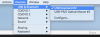
Iam using Parallels 13 and want to assign a bluetooth mouse & keyboard espcially to the Windows 10 VM. The option "Bluetooth-Geräte für mit Windows freigeben" is activated, but the devices can not be found under windows. Also the bluetooth devices are not appearing in the list for permanent assigning. Can you please help me to solve this problem?
Best regards izi
Iam using Parallels 13 and want to assign a bluetooth mouse & keyboard espcially to the Windows 10 VM. The option "Bluetooth-Geräte für mit Windows freigeben" is activated, but the devices can not be found under windows. Also the bluetooth devices are not appearing in the list for permanent assigning. Can you please help me to solve this problem?
Best regards izi