
My Win 10 guest OS regularly incorrectly updates the time causing Outlook problems and missed reminders/meetings. I'm currently running Parallels Desktop 15 for Mac Business Edition Version 15.0.0 (46967) but v14 had the same problems for me and another user here.
The time on the Mac is always correct - its time is set automatically from time.euro.apple.com. OS is latest macOS Mojave 10.14.6
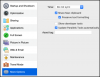
Time in Control Centre is set to "Do not sync". I've also tried other setting to no avail though.
Windows Event viewer still contains entries like this (when I notice the time is wrong):
The system time has changed to 2019-09-13T12:49:30.712000000Z from 2019-09-13T12:31:21.338255400Z.
Change Reason: An application or system component changed the time.
Process: '\Device\HarddiskVolume2\Program Files (x86)\Parallels\Parallels Tools\Services\prl_tools.exe' (PID 4028).
That's almost 20 minutes FORWARD there! The guest Win 10 VM is set to sync with the Domain Controller (which has correct time) and this is a Group Policy I cannot change.
After a while Windows syncs back correctly with it's DC:
The system time has changed to 2019-09-13T12:47:26.457714100Z from 2019-09-13T13:05:35.811030500Z.
Change Reason: An application or system component changed the time.
Process: '\Device\HarddiskVolume2\Windows\System32\svchost.exe' (PID 1136).
How can I prevent Parallels Tools from syncing the time!?
The time on the Mac is always correct - its time is set automatically from time.euro.apple.com. OS is latest macOS Mojave 10.14.6
Time in Control Centre is set to "Do not sync". I've also tried other setting to no avail though.
Windows Event viewer still contains entries like this (when I notice the time is wrong):
The system time has changed to 2019-09-13T12:49:30.712000000Z from 2019-09-13T12:31:21.338255400Z.
Change Reason: An application or system component changed the time.
Process: '\Device\HarddiskVolume2\Program Files (x86)\Parallels\Parallels Tools\Services\prl_tools.exe' (PID 4028).
That's almost 20 minutes FORWARD there! The guest Win 10 VM is set to sync with the Domain Controller (which has correct time) and this is a Group Policy I cannot change.
After a while Windows syncs back correctly with it's DC:
The system time has changed to 2019-09-13T12:47:26.457714100Z from 2019-09-13T13:05:35.811030500Z.
Change Reason: An application or system component changed the time.
Process: '\Device\HarddiskVolume2\Windows\System32\svchost.exe' (PID 1136).
How can I prevent Parallels Tools from syncing the time!?
