Parallels tool box screen shot functions don't work

DaveN4

Bit poster
Catalina 11.1, Parallels 16.1.2, Parallels Tool Box 4.1.1
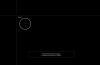
When I select Capture Area, the screen goes black. I have already enabled Parallels Toolbox for screen recording through System Preferences/Security&Privacy/Privacy/Screen recording. Then quit and restarted Toolbox. Any help is appreciated. Thanks
 
Hello,
> When I select Capture Area, the screen goes black
"Capture Area" tool creates an overlay window to shade desktop image and show selected area over it. But you should still see desktop image under this overlay window. Also mouse cursor should be as 'magnifier'. Isn't that so for you? Could you please attach screenshot of entire screen (you can make it using system screenshot utility)?
Screen Shot 2021-01-11 at 09.50.57.png
 
Screen shot attached. My old macbook air with Catalina 10.15.7 and parallels 15 works as you describe above.
 

Attachments

  • Screen Shot 2021-01-11 at 11.52.32 AM.png
    Screen Shot 2021-01-11 at 11.52.32 AM.png
    138.8 KB · Views: 5
Thanks for ID. Another question - do you have same problem with "Capture Screen" tool?
 
Something odd has happened. In answer to your. question about Capture Screen, yes, I had the same problem. However, both problems resolved and both features are working properly now. I wish I could tell you how it fixed itself. If the issue recurs, I will reinitiate contact. Thank you for the time you spent in my behalf.
 
Back
Top