Parallels Running as Root

AlanC21

Bit poster
In my evaluation period, managed to get parallels working swimmingly on my new m2 max with windows and linux simultaneously but this is a potential show stopper:

Code:
root             16083  43.3  0.0 409739248  44912   ??  R     1:16PM   0:06.15 /Applications/Parallels Desktop.app/Contents/MacOS/Parallels Service.app/Contents/MacOS/prl_disp_service --pidfile /var/run/prl_disp_service.pid
root             16110   0.0  0.0 409413520  16320   ??  S     1:16PM   0:00.06 /Applications/Parallels Desktop.app/Contents/MacOS/prl_naptd start
root             16089   0.0  0.0 408497440   2384   ??  S     1:16PM   0:00.01 /bin/bash -p /Applications/Parallels Desktop.app/Contents/MacOS/watchdog start 60 20 /Applications/Parallels Desktop.app/Contents/MacOS/prl_naptd start

How do I disable root? I have shutdown parallels these processes disappear. I restart the app with no VMs running and they come back. I am also running as a non-admin user. I can't have a bug either in the VM or a hosted image take over a computer, ransomeware me with a 0 day exploit. How do I turn this off?
 
Am I the only one who thinks a process running as root is not a security concern? How a virus in a VM can break out and completely wreck your host machine? Or a an employee/shill for the govt leaving a nice 0 day in? I WILL NOT purchase this software until this concern is addressed. I'd rather buy a separate $3,000 dell then spend $100 on a software with such a glaring vulnerability.
 
Am I the only one who thinks a process running as root is not a security concern? How a virus in a VM can break out and completely wreck your host machine? Or a an employee/shill for the govt leaving a nice 0 day in? I WILL NOT purchase this software until this concern is addressed. I'd rather buy a separate $3,000 dell then spend $100 on a software with such a glaring vulnerability.
Hey @AlanC21, I understand your concern, however, please rest assured that Parallels Desktop is subject to continuous security checks found and reported by the Zero Day Initiative group, and once found, security updates are taking place in time (see the long list of fixes in https://kb.parallels.com/125013). Root privileges are required to reach a certain level of integration with Mac (e.g. Coherence view mode, Dock icons for Win apps, and more). If you are strongly against giving our application elevated access, I recommend you try the App Store version of our product which is sandboxed and has no root access. But please note that the experience will vary in certain areas (performance is not affected): https://apps.apple.com/ee/app/parallels-desktop/id1085114709?mt=12
 
Thanks Dmitry, this is what I need. I am trying the App Store version. How do I clean uninstall the desktop version? hidden folders etc?
 
Thanks Dmitry, this is what I need. I am trying the App Store version. How do I clean uninstall the desktop version? hidden folders etc?
Use Parallels Toolbox - Uninstall Apps tool :) your virtual machines in ~/Parallels won't be affected.
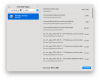
upload_2023-9-13_16-17-59.png
Also, please note that by default, Parallels Desktop in App Store edition won't automatically add any of the existing VMs created in Parallels Desktop "from the website".
 
Back
Top