Parallels Memory Slider Reverts Back When I Try to Change It

Aline

Bit poster
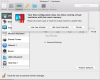
Basically, every time I try to adjust the memory slider in the configuration menu, I get a message and am forced to use a max amount of 1724 mb which isn't enough to run windows 7 on my macbook. Whether I pick "Use max allowed" or "Set recommended" the slider reverts to an amount lower than 2 gb. No matter what I do, the slider reverts back.

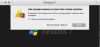
When I try to open up windows 7 with the max memory allowed (1.7 GB), I get a message saying "Not enough memory to start this virtual machine." I couldn't find any solutions anywhere. Please help! (Yes my virtual machine is completely off when I'm doing this)

I'm also using windows 7 64 bit. I've tried downloading windows 10 32 bit, windows 10 64 bit, and windows 7 32 bit but the results are still the same.
 

Attachments
  • Screen Shot 2017-06-03 at 4.08.28 AM.png
    Screen Shot 2017-06-03 at 4.08.28 AM.png
    131.8 KB · Views: 5
  • Screen Shot 2017-06-03 at 4.09.12 AM.png
    Screen Shot 2017-06-03 at 4.09.12 AM.png
    100.6 KB · Views: 3
Last edited:
Basically, every time I try to adjust the memory slider in the configuration menu, I get a message and am forced to use a max amount of 1724 mb which isn't enough to run windows 7 on my macbook. Whether I pick "Use max allowed" or "Set recommended" the slider reverts to an amount lower than 2 gb. No matter what I do, the slider reverts back.

When I try to open up windows 7 with the max memory allowed (1.7 GB), I get a message saying "Not enough memory to start this virtual machine." I couldn't find any solutions anywhere. Please help! (Yes my virtual machine is completely off when I'm doing this)

I'm also using windows 7 64 bit. I've tried downloading windows 10 32 bit, windows 10 64 bit, and windows 7 32 bit but the results are still the same.
It seems the recommended amount of RAM for a virtual machine is only 1.5 GB that means you only have 4GB RAM on your Mac. If you have multiple virtual machines try shutting them down properly and start Windows virtual machine.
 
It seems the recommended amount of RAM for a virtual machine is only 1.5 GB that means you only have 4GB RAM on your Mac. If you have multiple virtual machines try shutting them down properly and start Windows virtual machine.

Hi, correct me if I'm wrong, but I believe my macbook has 2GB RAM, and this is the only virtual machine I currently have at the moment. I also used to have parallels on my mac in the past with the same edition of windows and it worked fine so this is really confusing me.
 

Attachments

  • SC.png
    SC.png
    103 KB · Views: 3
I believe my macbook has 2GB RAM
Then no wonder the slider doesn't want to go till 2 GB - we can't allocate all of your Mac's memory to Windows as the Mac needs some memory as well while Windows is running.
this is the only virtual machine I currently have at the moment.
Please ensure this by looking for any unused virtual machines (they are basically files with the extension '.pvm') in your Mac and move them to Trash.
When I try to open up windows 7 with the max memory allowed (1.7 GB), I get a message saying "Not enough memory to start this virtual machine."
If you allocate 1.7 GB for Windows and then try running it, then your Mac will be forced to make do with just 300 MB of RAM. This will definitely strain your Mac greatly. No matter how much memory Windows has, if your Mac suffers from insufficient resources, then Windows will also be affected. So for the sake of isolating the issue, please allocate just 1 GB of RAM for Windows and see if you can then run it.
 
Then no wonder the slider doesn't want to go till 2 GB - we can't allocate all of your Mac's memory to Windows as the Mac needs some memory as well while Windows is running.

Please ensure this by looking for any unused virtual machines (they are basically files with the extension '.pvm') in your Mac and move them to Trash.

If you allocate 1.7 GB for Windows and then try running it, then your Mac will be forced to make do with just 300 MB of RAM. This will definitely strain your Mac greatly. No matter how much memory Windows has, if your Mac suffers from insufficient resources, then Windows will also be affected. So for the sake of isolating the issue, please allocate just 1 GB of RAM for Windows and see if you can then run it.

I used the spotlight search to look for other virtual machines and there were none. I tried to allocated to 1GB of RAM but it still doesn't let me run it.
 
In the past, were you ever able to actually run Windows 7 on this particular Mac under Parallels?

Yes. I deleted it and redownloaded it multiple times in the past and I've never had this problem. When I was trying the windows 7 64 bit, I got all the way through installation and to the desk top, but once everything loaded on the home screen the message saying there wasn't enough memory to run it popped up again. With the windows 7 32 bit, I can't even form a .pvm or go completely through the parallels wizard without the message popping up.
 
but once everything loaded on the home screen the message saying there wasn't enough memory to run it popped up again.
Can you please check if there are any background processes on your Mac machine that're probably using up a good portion of the RAM (for example, Time Machine backup)? If this doesn't help, please shut down the Mac completely, restart it and, without first starting any other program, launch Windows 7 (with 1 GB allocated). Any difference this time?
 
Can you please check if there are any background processes on your Mac machine that're probably using up a good portion of the RAM (for example, Time Machine backup)? If this doesn't help, please shut down the Mac completely, restart it and, without first starting any other program, launch Windows 7 (with 1 GB allocated). Any difference this time?

I checked for any abnormal ram usage through activity monitor but nothing seems out of the ordinary, and I don't use time machine backup so there's that. I did, however, simply restarted my mac and what do you know, windows is running perfectly (I also switched over to windows 7 32 bit since I realized 64 bit requires a computer with 4 GB of RAM). I probably made a simple mistake of failing to restart after redownloading parallels. Thanks for all your help!
 
I checked for any abnormal ram usage through activity monitor but nothing seems out of the ordinary, and I don't use time machine backup so there's that. I did, however, simply restarted my mac and what do you know, windows is running perfectly (I also switched over to windows 7 32 bit since I realized 64 bit requires a computer with 4 GB of RAM). I probably made a simple mistake of failing to restart after redownloading parallels. Thanks for all your help!
You're welcome! Great that it's all sorted out. Feel free to get back to us for any further queries.
 
Back
Top