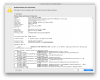
Process: prl_client_app [13784]
Path: /Applications/Parallels Desktop.app/Contents/MacOS/prl_client_app
Identifier: com.parallels.desktop.console
Version: 10.1.1 (28614)
Build Info: Parallels-28614.1072077~10.1.28614.1072077
Code Type: X86-64 (Native)
Parent Process: ??? [1]
Responsible: prl_client_app [13784]
User ID: 501
Date/Time: 2014-10-31 22:03:16.783 +0800
OS Version: Mac OS X 10.10 (14A389)
Report Version: 11
Anonymous UUID: 3577A9D9-540E-1161-6125-6D4157B81BF0
Time Awake Since Boot: 25000 seconds
Crashed Thread: 0 Dispatch queue: com.apple.main-thread
Exception Type: EXC_BAD_ACCESS (SIGSEGV)
Exception Codes: KERN_INVALID_ADDRESS at 0x0000000000000000
VM Regions Near 0:
-->
__TEXT 000000010a285000-000000010d9fd000 [ 55.5M] r-x/rwx SM=COW /Applications/Parallels Desktop.app/Contents/MacOS/prl_client_app
Path: /Applications/Parallels Desktop.app/Contents/MacOS/prl_client_app
Identifier: com.parallels.desktop.console
Version: 10.1.1 (28614)
Build Info: Parallels-28614.1072077~10.1.28614.1072077
Code Type: X86-64 (Native)
Parent Process: ??? [1]
Responsible: prl_client_app [13784]
User ID: 501
Date/Time: 2014-10-31 22:03:16.783 +0800
OS Version: Mac OS X 10.10 (14A389)
Report Version: 11
Anonymous UUID: 3577A9D9-540E-1161-6125-6D4157B81BF0
Time Awake Since Boot: 25000 seconds
Crashed Thread: 0 Dispatch queue: com.apple.main-thread
Exception Type: EXC_BAD_ACCESS (SIGSEGV)
Exception Codes: KERN_INVALID_ADDRESS at 0x0000000000000000
VM Regions Near 0:
-->
__TEXT 000000010a285000-000000010d9fd000 [ 55.5M] r-x/rwx SM=COW /Applications/Parallels Desktop.app/Contents/MacOS/prl_client_app