Parallels Desktop for Mac computers with Apple silicon M4 chips

Hi,
I'm trying to install Kali and/or Ubuntu (Both ARM64 variants) via Parallels 2.0 on an M4 MBP and I cannot for the life of me get them to install. If I use the pre-built images, it works fine; However, if I try to install manually via ISO, it fails on both OSs with random errors each time, never the same error, never the same failure spot. Fresh VM's, more resources, bigger disks ... Nothing.

Is anyone else experiencing this? I'd upload images/logs but it's never the same, even with exact same settings picked in PD 20.

 
I just moved from M2 Mac Mini to M4 Pro Mac mini and my vm's will not longer start. I'm using Desktop 19, and I also tried to create a new Windows 11 machine and that will not start either. The program does not really give me much feedback. I would not think there would be an issue with M2 vs M4
Any updates here? Thank you in advance
 
Just got my M4 based Mac yesterday. Purchased and installed Parallels Desktop and it had rainbow spinner after product activated. Forced quit after a long time waiting. Relaunched and it came up to the screen to install Windows 11 and before I could do anything it was a rainbow spinner again. Force quit, rebooted and very similar on any launches. I suspect the M4 is too new and not well tested yet. If there are steps I should try to get the product to behave, let me know.

memory may not be managed correctly by services running as this OOM was common for me for years the M4 pro Mini has the bandwidth Win11 Pro , Mac Sonoma , Linux
The Trinity ; M4 Pro : 24 g ram , 8 terabyte HDD warmly
 
I am having the same (I suspect) issue installing Debian Stable, Debian Testing, and Kali Linux using the ARM64 isos.

Steps to reproduce
1) Create a new VM, select the image
2) Progress through the installer until the base system is installing
3) Wait for the install to die due to "Installation step failed: Select and install software"

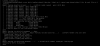
Looking at tty4, something is segfaulting during initramfs generation. Image attached.
 

Attachments

  • Screenshot 2024-11-20 at 22.43.55.png
    Screenshot 2024-11-20 at 22.43.55.png
    348.8 KB · Views: 7
@Mikhail Ushakov
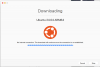
I have a Ubuntu 24.04 VM created under Version 19) that is working fine with v 20 (trial version); however, I tried to create a new one using v20 on the mac mini M4 Pro and I'm getting the following message even though I have internet

upload_2024-11-20_12-14-10.png
 
I would like to be able to report my experience with Parallels on an M4 mini, but I am now in my fifth hour of downloading the 190 meg install file. Maybe Parallels should think about spending money on server capacity. I have 300meg service from FIOS--my speed is not the issue. I updated iMovie and the 2 gig file took about 5 minutes to download.
 
FWIW, just got my M4 Pro Mac mini and after using Migration Assistant and transferring the Parallels license, already had 20.1.1 installed. and booted without issue.
 
Hi,
I'm trying to install Kali and/or Ubuntu (Both ARM64 variants) via Parallels 2.0 on an M4 MBP and I cannot for the life of me get them to install. If I use the pre-built images, it works fine; However, if I try to install manually via ISO, it fails on both OSs with random errors each time, never the same error, never the same failure spot. Fresh VM's, more resources, bigger disks ... Nothing.

Is anyone else experiencing this? I'd upload images/logs but it's never the same, even with exact same settings picked in PD 20.

correct, it is broken. I see the same errors installing ubuntu22 or 24 on MBP M4 Max. Trying to get Parallels to acknowledge the problem and make a fix
 
Dear Mikhail,
As you can easily verify, I have been your customer for many years, and as you can clearly see I have never posted before since I'm completely aware of your updates policies "in case of Parallels Desktop 19, this is macOS 12 - macOS 14"; however, this is NOT an issue generated by changes on the macOS but on the processor of the computers. As I mentioned, I have 2 licenses for version 19, one running perfectly fine with a MacBook Pro M3 Pro with macOS 15 and the second one that I has with a mac mini M2 Pro and now failing completely with the mac mini M4 Pro. If it could be possible to run on the new macs M4 macOs 14, I'm completely sure this issue will be the same. Hence, I would like to ask you that take in consideration that this is NOT an issue with OS compatibility but with the new processor, so a patch for version 19 is really needed. We (affected customers) are not asking you guys give us for free version 20 but a minimum of support for a version that is quite recent
Thanks,
Fred

Dear Mikhail,
I understand that are several issues going on with this new apple processor (M4) and you guys are quite busy trying to solve them; however, I would like to have a better idea what our options are regarding this situation; as I mentioned in my previous emails this is not an issue of incompatibility with the new macos 15 but with the processor;
Hence:
1. will you guys release a patch for version 19 ?
2. if not and taking in consideration that:
- this not the an issue that follows your upgrades policies, ""in case of Parallels Desktop 19, this is macOS 12 - macOS 14"
- Some of your customers bought more than one licenses less that one year ago.
will you offer a special discount to get the version 20 ?

Thanks,
Fred
 
@Freddy2 Do you always need to download the image again? I would expect the image to be saved on disk and the next time I need it I don't need to download it again. It's annoying if I need to download the image again and again. If Parallels wants to make sure to always use the latest image why not use a hash to check which version is currently saved on disk?
 
I migrated 5 Ubuntu VMs from my M1 MacMini to my M4Pro MacMini, both were running Parallels 20.1.1. The VMs started fine, but once I ran apt-get upgrade, problems began. All of them ran into one form of segfault or another while trying to rebuild the initramfs, sometimes it was just a simple segmentation fault, other times it was stack smashing detected. I then tried building a new Ubuntu 24.04.1 LTS and the first time it booted fine then ran into the same issue with segfaults, so I thought, lets try rebuilding again, this time it wouldn't even finish the installer. Got stuck at a random spot each of the 4 times I tried reinstalling.
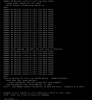
One of the 5 (running 22.04LTS) now won't boot at all, once it gets to this stage of the boot process it waits for a few seconds before failing out
upload_2024-11-21_18-2-9.png


and dropping me out to the initramfs prompt
upload_2024-11-21_18-3-59.png
 
I am able to boot that VM up via a Ubuntu 24.10 ARM Desktop ISO, and am able to mount the ubuntu-vg/ubuntu-lv LVM logical volume
upload_2024-11-21_18-10-30.png

So I know the volume is still there and accessible, and I am able to access the data, just not able to boot from it properly
 
I'm having the same problem with my MacBook Pro - M4 Pro. I've tried installing Ubuntu 24 a bunch of times, but I almost always get an error during the installation. Sometimes it finishes, but the VM won't boot. On my old Macbook air M2, everything works fine! Same Parallels version on both laptops: Parallels Desktop 20 for Mac 20.1.1 (55740)
 
@Freddy2 Do you always need to download the image again? I would expect the image to be saved on disk and the next time I need it I don't need to download it again. It's annoying if I need to download the image again and again. If Parallels wants to make sure to always use the latest image why not use a hash to check which version is currently saved on disk?
no, you don't need to download the image again. I was trying to see if I could replicated the issue that others mentioned since my original Ubuntu VM is working as expected. In other words, I was trying to create a brand new VM
 
FYI: I successfully moved the Ubuntu Server VM from my MacBook Air M2 to this new MacBook Pro M4 Pro, worked. It seems like the problem is with installing a new Ubuntu installation on the newer processor. I tried both Ubuntu 22 and 24...
 
Never mind... I tried to upgrade packages using apt upgrade and faced errors
 

Attachments

  • Screenshot 2024-11-22 at 8.13.13 AM.jpg
    Screenshot 2024-11-22 at 8.13.13 AM.jpg
    565.3 KB · Views: 3
I was able to install a brand new Ubuntu 24 VM but not it got stuck on the installation of the Parallels Tools at 77%

upload_2024-11-22_8-27-12.png
 
Back
Top