Parallels Desktop for Mac build 3106 Beta 3 is available for download.

Multi-Monitor

Now that it appears many of the standalone coherence bugs have been worked out I plan to focus heavily (starting Tuesday) on putting multi-monitor support through it's paces. I plan on using my MBP with it's built in monitor in addition to an external monitor for testing. I'll try both as Main and both as Secondary monitors along with varying positions and configurations. It might also be good to test the external monitor as the only monitor (i.e. with the MBP closed... using only the external monitor, keyboard and mouse).

All configurations will be used with Coherence, Full Screen and OS Window modes.

I recommend several people attempt these same tests. The more coverage we get the better the chances are for full functionality when the GA is available. It doesn't help much if people focus their testing mainly on how they use the product. You never know... by attempting multiple configurations you may find something you like more.

Thanx!
 
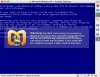
Sadly, this new beta version doesn't work for me, as did the others. Each time i try to boot on my bootcamp partition (NTFS), a blue screen shows an error occured, windows stopped to prevent damage blablabla.... I don't understand why :confused: , my windows is SP2 with all the current fixes available. I cross my fingers everytime a new beta is released. At this moment it is not a real problem, just a nice thing i would like to experiment, but when 3D will be supported, i plan to use it often.
 

Attachments

  • Image 1_400x311.shkl.jpg
    Image 1_400x311.shkl.jpg
    51.1 KB · Views: 43
Last edited:
Same Problem cannot boot bootcamp partition

I have the same problem, cannot boot my fat32 bootcamp partition. Get bluescreen during start up. Never worked on any version yet either. Not sure if reinstalling my bootcamp winxp would help. Any suggestions? Thanks.
 
Blank Screen after winxp start up (eeek)

After installing the beta 3 version my winxp pro vm started up fine. When installing the parallel tools I got a blue screen of death.

Now everytime I start the winxp pro vm I get the standard os boot screen (parallels), the windows xp boot screen (star trek like back and forth thing-ie), hear the windows start up noise, and a blink-blink confirmation noise but nothing is displayed in the screen. BLANK SCREEN but still hard disk activity.

1) I have defraged using parallel tool...
2) Attempted to install the parallel tools with black screen displayed
3) and now a bit at a loss

Any help would be GREAT!
 
I too have the problem of booting up to a black screen. Audio confirms that Windows is loading but I have no choice but to eventually quit Parallels and hope no damage has been done to my Boot Camp drive (NFTS).

It sounds like a significant number of users have experienced this problem in both 3036 and this version. I would've thought this would've been addressed in this release..at least some insight as to why it's happening to some, but not all users.

Great concept...but totally useless.
 
XP Coherence

I'm getting a small patch of XP screen in top left corner when running in Coherence. Also switching views results in crash each time.

It's finally seeing USB printer (Epson 2200) and print dialogue comes up, shows the Windows print shuffle, but doesn't print. Sharing on in OS X. However Bonjour has never seen that printer or my R2400 (Firewire) or any other printer (Labelwriter, Picturemate, etc.) I have downloaded and reinstalled 2200 Win driver at each update.

Finally, Quickbooks Pro won't install automatic updates. I can do it manually of course, but is there a fix? Anyway Parallels is amazing! I'm sure remaining little bugs will be worked out in no time - can't believe the rapid-fire new versions.
 
fixed : full screen / linux guest /macbook pro /1440 x 900

had issues on previous beta but now fixed
thats full screen / linux guest /macbook pro /1440 x 900 / fedora core 6

looks good from this end

congrats to the team

/rath.
 
build 3106 Beta 3 problems

Hello

I have just installed the bew beta 3 and everything went fine. However, as son as I switch into Full Screen mode, Parallels quits - no warning, no error messages, the Parallels app just quits.

This did not happen with the previous beta.

tom
 
I keep getting a BSOD whenever I try to install the tools.

I have never had this happen to any other version.

Very frustrating.
 
I still can't use boot camp, on the BIOS loading screen I get "Boot from hard drive... Error loading operating system" (Same as the last beta):(
 
Sorry for the persistence, but I just want to take all necessary precautions to activate Windows XP as few times as possible.

I updated to Beta 3, activated under parallels, and everything works fine on that end.

When I try to boot into Boot Camp, I am prompted to activate windows. If I do this, will I not have any more activation requests from Boot Camp & Parallels? Or is this a bug that I should wait out?
 
Repost from old thread to this for Beta 3106 (Bootcamp yes, but not supported)

- How many HDDs does your Mac have?
MacBook Pro (2,33 GHz Core2Duo), with internal 120 GB HD
- Where is your Boot Camp partition located?
On the 4th partition
- What is the OS installed on Boot Camp exact name and version? Is it 64-bit one or 32-bit one?
XP SP2, 32bit
- open Terminal, issue the "mount" command and post its output here please
/dev/disk0s2 on / (local, journaled)
devfs on /dev (local)
fdesc on /dev (union)
<volfs> on /.vol
/dev/disk0s3 on /Volumes/DATEN_FAT (local)
/dev/disk0s4 on /Volumes/Windows (local, read-only)
automount -nsl [144] on /Network (automounted)
automount -fstab [202] on /automount/Servers (automounted)
automount -static [202] on /automount/static (automounted)
...and diskutil list
/dev/disk0
#: type name size identifier
0: GUID_partition_scheme *111.8 GB disk0
1: EFI 200.0 MB disk0s1
2: Apple_HFS Macintosh HD 31.0 GB disk0s2
3: Microsoft Basic Data DATEN_FAT 31.6 GB disk0s3
4: Microsoft Basic Data Windows 49.0 GB disk0s4
...and the fdisk print
Disk: /dev/rdisk0 geometry: 14593/255/63 [234441648 sectors]
Offset: 0 Signature: 0xAA55
Starting Ending
#: id cyl hd sec - cyl hd sec [ start - size]
-----------------------------------------------------------------------
1: EE 0 0 2 - 25 127 14 [ 1 - 409639] <Unknown ID>
2: AF 25 127 15 - 1023 74 10 [ 409640 - 65011712] HFS+
3: 0B 1023 74 11 - 1023 254 63 [ 65421352 - 66247388] Win95 FAT-32
*4: 07 1023 0 1 - 1023 80 63 [ 131668740 - 102772908] HPFS/QNX/AUX

Beta3_3106.jpg
is now officially an unsupported setup ;-(...I was hoping that this would be solved in a different way...but there is hope, because they say this current (beta? 3106) version is not supporting this...so which version will support this environment? Until then using Windows with bootcamp in the Apple way on startup...
...or is it possible to do something thru setup?
Anyway keep on the good work...and best regards...
 
New crashing info for 3106

So I thought my previous crashing issues I was having was related to bad hardware. Since then, I've created an entirely new VM, hooked it up to the boot camp partition as a second drive, and I'm trying to build a source tree on the boot camp drive using visual studio (installed on the first, image VM drive). It crashes intermittently for me. I've been sending in reports but I'll see if I can narrow down the root cause. Note: this is a clean copy of my sources and everything, so either I'm hitting a massive coincidence in corrupted files, or Parallels is crashing when doing so much on the Fat32 boot camp partition...I'm going to try copying the sources to the image VM partition now and see if it still builds fine there (what I did before this latest version).
 
Any one to help?

Seems there are lots of question being posted about this beta but not much support. I am glad to help with beta testing but I do expect to have some support from Parallels.
 
Guys,
Beta 3 continues the improvements I've seen. In earlier builds, Coherency didn't work, and now it works flawlessly. Support for Vista is vastly improved. I also notice huge performance improvements over build 3094. I know people in these forums have certain isolated issues, but don't be discouraged. Keep up the great work! :)
 
Parallels Tools auto-upgrade failed

I installed the new beta and booted XP; it offered to upgrade Parallels Tools, and I clicked OK. In the middle of the upgrade, Parallels crashed.

However, when I rebooted XP again and clicked Cancel on the upgrade dialog, I was able to manually uninstall Parallels Tools, reboot, and manually install the new version without any hitches.

Coherence works on my second monitor now (hooray!) but hotsyncing my Treo 650 is still a no-go (XP sees the USB device but the Hotsync Manager never fires up.)
 
Great improvements

sydbarrett74 said:
Guys,
Beta 3 continues the improvements I've seen. In earlier builds, Coherency didn't work, and now it works flawlessly. Support for Vista is vastly improved. I also notice huge performance improvements over build 3094. I know people in these forums have certain isolated issues, but don't be discouraged. Keep up the great work! :)

I support the statement of sydbarret (cool nick - long live the old Pink Floyd!) in every respect. Too bad that I still have to wait for Parallels letting me specifying my own installation directory and Transporter not to crash cloning my 50 Gigybyte Win XP Pro disk.
 
Three issues with beta 3

First of all I want to add my voice to the chorus of "great app and really love coherence, a lot".

Well done and thanks.

Now on the issues I'm having with the latest beta:

1. This is the key issue: Boardmaker 5 with some kind of Securom 4.x/5.x (I think) copy protection won't launch on my macbook pro. I did get one positive result when using beta 1 on a 2Ghz Core Duo iMac. I also tried it on my in-laws Macbook to no avail . Boardmaker works okay in when directly in boot camp so it seems to be a Parallels issue. It's a pity as Boardmaker is the one app that will allow me to delete bootcamp.

2. An administrator password is required to launch the application every time. I have the boot camp windows partition set-up to run in Parallels. However even when using the a virtual machine which is a transported copy my boot camp partition I still require a password. Do I have to remove bootcamp as a guest machine to get round this?

3. Launching windows apps from the dock without Parallels open, launches parallels and the guest os ok but the application itself doesn't open within windows. I suspect I'm getting ahead of myself but this seems to be a logical feature of coherence - maybe I was justed spoiled by Classic back in the day!

Thanks again and keep up the good work!
 
"Installing Parallels Tools" notice, and other things

Getting that Tools here too - every time Parallels is opened, not if the VM is restarted. Doesn't actually launch the installer at the end though. I like the idea of it, a nice touch.

Other things of note:
  • Any chance of Exposé support in Coherence mode? Difficult, I know, but it would be very cool if Windows apps behaved as expected.
  • Windows apps can still be dragged under the Mac OS menu bar in Coherence mode. Again, only cosmetic but a shame.
  • Again in Coherence mode, an option to have the Windows taskbar always-on-top (but below the Dock) would be a Godsend, as when in Mac apps it gets hidden and any notifications in it (or near it, like Windows Live Messenger notifications) are covered up

A massive thankyou, though, for the support of rounded windows in Coherence mode. It looks miles better now! Cheers for this, and all the other fixes.
 
Network issue with last beta and Boot Camp

Hello,

Thanks to Parallels for their great software and the simplicity of it.
I have a network problem. Since I am new to Mac and to Parallels, it may be something stupid that I don't know yet about netwok configuration.
I've tried to install Parallels using my Boot Camp partition of Windows XP. By doing so, I could not choose the option "Shared networking", but only "Bridged to ethernet". I tried to change settings once installation was completed, but whatever configuration I had chosen, I kept getting a message "this connexion has a limited connectivity etc."
Should I have activated something on my computer (MacBook Pro, accessing Internet through AirPort), or is it simply impossible to use "shared networking" when running a Boot Camp partition ?

If anyone knows, It would really help. Thank you.
 
Back
Top