Parallels Desktop and M1/M2 Ultra chips

Mikhail Ushakov

Problem solver
This thread has been created for collaborating on the issues that are found in Parallels Desktop on Mac computers with Apple M1/M2 Ultra chips. Don't hesitate to share your experience!
 
I really need a full solution for MacOS Monterey VM support. The current "solution" is not even half-baked.
You can't...
  • change screen resolution
  • create snapshots
  • cut/paste from the host OS
  • connect external drives
  • change window size
  • change network settings
  • ... and just about everything else you provide for other VM types (or previous MacOS VM support in Paralles 16.x)
-Blake
 
I really need a full solution for MacOS Monterey VM support. The current "solution" is not even half-baked.
You can't...
  • change screen resolution
  • create snapshots
  • cut/paste from the host OS
  • connect external drives
  • change window size
  • change network settings
  • ... and just about everything else you provide for other VM types (or previous MacOS VM support in Paralles 16.x)
-Blake
Hello Blake,
Yes, macOS VM on Mac computers with Apple M1 chips have limited functionality. However, some of the mentioned things can be adjusted this way:
1. Enable Bridged network: https://kb.parallels.com/en/128519
2. Change display resolution:
Same as the knowledge base article above but instead the configuration file should contain the following details:

[Hardware]
Display.Width=1920
Display.Height=1080
 
Thanks for the tip!

Any guess on ETA for when macOS on M1 will no longer have limited functionality?
I'm sorry to say we have no ETA to share for now. This is a quite complicated process since many parties are involved in it: either our engineers or our partners.
 
Is there any way to increase the processor count for a Windows 11 VM to more than 8?
Hello, it depends on the number of CPUs you have embedded into your Mac. You can adjust the number of CPUs assigned to your virtual machine by following the steps below:
1. Shut down Windows (Actions > Shut down).
2. Open configuration settings of the virtual machine https://kb.parallels.com/117287 > Hardware > CPU & Memory > switch to Manual and select the required number of CPUs.
Please be advised that we don't recommend to assign more than a half of the resources you have on your Mac since it might affect performance drastically.
 
Hi Mikhail, that's my point: The Mac Studio with M1 Ultra has 20 CPU cores. But for whatever reason, even if I create a new VM from scratch, I can only give it 8 CPU cores (Automatic suggests 8, and Manual does not let me assign more than 8). I have Parallels Desktop 17 Pro.
 
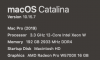
Is there any advice on what Mac Studio options help performance? I've had to keep to Catlina and Parallels 16 to get usable performance in coherence mode from 3 VM's running across 3 4K monitors?.

Does parallels on Apple Silicon make use of the GPU for non 3D/Game apps?
 
My current setup is below (pretty maxed out)...so really hoping is some config of the Mac Studio that will be faster for me. (Willing to buy a totally maxed out version, just not sure will be helpful or not)
 

Attachments

  • Screen Shot 2022-03-21 at 7.35.16 AM.png
    Screen Shot 2022-03-21 at 7.35.16 AM.png
    22.5 KB · Views: 48
Hi Ryan!
We'd like to investigate the issue. Could you reproduce it again and collect a technical report at the moment of reproduction? Send its 9-digit ID to us in your reply to this response. Instructions on collecting a report are available at https://kb.parallels.com/9058 .

I have this case ID
#3017146
, which they responded 1 month later basically sending me the VM performance optimization guide. I have tried all of that 10x. It's not easy for me to reproduce now as I need to install a newer version of the OS, newer version of Parallels, and then reverse everything.
 
Hi all,

I have a Mac Studio M1 Ultra, 20CPU/48GPU/64gbRAM/1TBSSD. I am running Parallel Window 17 Business edition, the latest version, and Window 11 ARM.

Apparently, I cannot config Parallel to Game Mode even though I set the CPUs number < 8. Every time I set it, there is an error "The specified CPUs number is invalid/ The number of CPUs cannot exceed 8. Correct the value and try again." A user also has the same problem, which you can see at 2:29s.
.

Another problem is that, while playing League of Legends on Parallel 17, the performance of both my Mac mini 8CPU/8GPU/16gbRAM and my Mac Studio Ultra is identical, showing the same FPS gameplay despite trying to assign different combinations of CPUs/RAM config in Parallel.

So is it because M1 Ultra is new, thus, the new chip has not yet been optimized by the current Parallel 17 version?
 
Hi Mikhail, that's my point: The Mac Studio with M1 Ultra has 20 CPU cores. But for whatever reason, even if I create a new VM from scratch, I can only give it 8 CPU cores (Automatic suggests 8, and Manual does not let me assign more than 8). I have Parallels Desktop 17 Pro.
hi. I have the same issue. New Studio Ultra won't let me go beyond 8 cores in Parallels. I can go higher on my Mac Book Pro that has the M1 Max chip on it. Side by side speed comparison also shows Parallels on Ultra running way slower than Parallels on Max M1. I think there's a bug related to the core count...
 
Just as the post above I can confirm that Parallels can't be configured to more than 8 cores on a Mac Studio with Ultra chip. My model is fully specced out:
Mac Studio Ultra
20-Core CPU
64-Core GPU
128 Gb of RAM
moreover, it will not let me assign more than 24 Gb of RAM - It just crashes...
Yes, I'm using the Pro Edition that claims 32 CPUs and up to 128 Gb of vRam.
Using it for 3D modeling in 3Ds Max.
It rendered a scene x4 slower than my 2020 intel-based iMac that was x4 times cheaper

@MikhailU@Parallels , any progress on making parallels take full advantage of the Ultra Chip for us Mac Studio users that need MAX Performance?

- Dmitriy
 
Why are you trying to run a Monterey VM from within a Monterey host system?
VMs are a common use case for testing. Eg: I run Windows 10 VMs on Windows 10 all day long to test things for work, without messing up my main computer OS. Same for Mac. Test a bunch of shit on your main mac and break it, or test in a VM that is fungible? no brainer - run MacOS 12 in a VM for testing.
 
Back
Top