
tom_seddon
Junior Member
I use Resolution: Scaled when using Windows 10 in a Parallels VM. I have a retina Macbook Pro and two normal-DPI monitors, and I don't like the way Windows handles displays with mismatching DPIs.
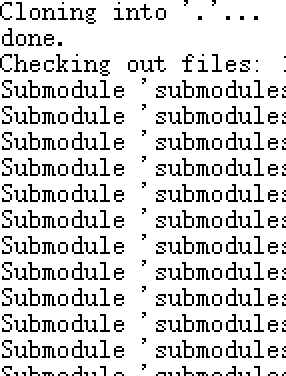
On whichever Parallels I was using before, 11 I think, this option gave me 3 screens with the same apparent DPI, with a clear, if blocky, scaled-up image on the retina display. Apparently Parallels scaled things up without using any filtering. Here's roughly what it looked like: (I had to cheat and make this image by hand, since I don't have PD11 installed any more, but it's an accurate representation of how it looked)
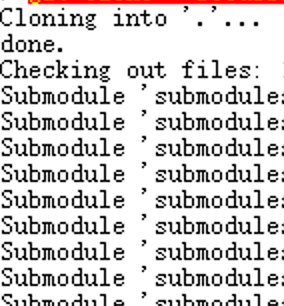
Here's what it looks like now, on Parallels Desktop 14. The DPI is fine, but there's some filtering being applied during the scaling process, so it looks a bit blurry. I'm sure some people prefer this, but I don't, as I actually find it quite uncomfortable to look at. Without the sharp corners, I can't seem to focus on things properly, which is rather tiring.
I can set up Parallels to have the retina display in high-DPI mode, and then that looks fine... but then I have to deal with the Windows mixed-DPI behaviour! I'd got quite used to having the best of both worlds with PD11, so can I get PD14 to behave the same way?
Thanks,
--Tom
On whichever Parallels I was using before, 11 I think, this option gave me 3 screens with the same apparent DPI, with a clear, if blocky, scaled-up image on the retina display. Apparently Parallels scaled things up without using any filtering. Here's roughly what it looked like: (I had to cheat and make this image by hand, since I don't have PD11 installed any more, but it's an accurate representation of how it looked)
Here's what it looks like now, on Parallels Desktop 14. The DPI is fine, but there's some filtering being applied during the scaling process, so it looks a bit blurry. I'm sure some people prefer this, but I don't, as I actually find it quite uncomfortable to look at. Without the sharp corners, I can't seem to focus on things properly, which is rather tiring.
I can set up Parallels to have the retina display in high-DPI mode, and then that looks fine... but then I have to deal with the Windows mixed-DPI behaviour! I'd got quite used to having the best of both worlds with PD11, so can I get PD14 to behave the same way?
Thanks,
--Tom
