Parallels 9- Can't get trial version

Status
Not open for further replies.
Hi,
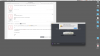
I am trying to test Parallels 9 first, so I click "download trial" in the Parallels Desktop activation menu, then I type in name, e-mail and country, again "download trial" and that's when a pops-up a window stating that there is internet connection problem. Internet works properly an I do not have any firewalls switched on. Does anyone know hot to deal with it?

I'm using OSX 10.9.5
 
Hi, I have a trial version of Parallels 9 running on 10.6.8 - my trial finished on Friday so I tried to activate a new one today to finish publishing a job but have found the 'Won't work offline' issue despite being connected to the internet. I've checked my hosts and run the PDFM.zip file, neither of which have worked. Is there any chance I can get a trial activation key asap?

I will be upgrading the computer to Mavericks and purchasing Parallels 10 after this job is complete (see support ticket #1977994 - I tried to give you money on day 1!) but right now I just really need to publish this one job without having to upgrade the OS, set up a new virtual machine, and all associated software installed on it.
 
I do realise that you're not supporting 9 now as well, but I'm hoping you can stretch to this one. It says that the trial has been activated, there's just some bug at work as far as I can tell. I really did try and give you money, and I will as soon as I can update the OS without risking production processes!
 
Hi,

Just downloaded the latest version and everytime that i try to get a trial version a message pops up saying that i don't have an internet connection. Which is false as I'm writing here right now.

I'm running OS 10.10.2

thanks
Ed
 

Attachments

  • Screen Shot 2015-02-10 at 17.27.30.png
    Screen Shot 2015-02-10 at 17.27.30.png
    375.3 KB · Views: 2
Hello guys...
It seems this is a known issue, which by the way, I'm facing too...
Anyway you can send me the Trial Code in a private message as well ?
 
@dhirajm please try the following steps:


  1. Disconnect your Mac from the Internet (there should be no connection to the Internet or any other networks).
  2. Start Parallels Desktop installation: double-click on installation image file in ~/Users//Downloads
  3. You should have Activation wizard:

  4. Enter your Activation key
  5. Copy Activation ID

  6. Connect your computer to the Internet and insert Activation ID to web page: http://activatepd.parallels.com/
 
Hi Mr. Andrew,

I encountered same problem too, unable to request a trial key..

Please kindly advice me. Your time and efforts will be greatly appreciated. Thank you
 
Update: Get Trial button works today, no need for another key.

Facing the same error message "Unable to request a trial Key" while being online and no custom entries in hosts-file.
Could I get a trial key please?
 
Last edited:
Status
Not open for further replies.
Back
Top