Parallels 9- Can't get trial version

Status
Not open for further replies.

Lukasz_

Bit poster
Hi,

I am trying to test Parallels 9 first, so I click "download trial" in the Parallels Desktop activation menu, then I type in name, e-mail and country, again "download trial" and that's when a pops-up a window stating that there is internet connection problem. Internet works properly an I do not have any firewalls switched on. Does anyone know hot to deal with it?

I'm using OSX 10.8.5
 
Last edited:
Hello,

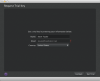
I am also using OSX 10.8.5 and I am trying to get a trial version of the Parallels Desktop tool. When I reach the Request Trial Key window, my data is already filled (including my email address, which is also inactive). If I press the Get Trial button, I just got a red exclamation mark after my email address. I have registered and also activate my account. Have anyone experienced this before and can help me?

Thanks
 
Hi Diana, you say your email that populates in the field is inactive - try clearing this field and entering in the correct email address. It sounds like your browser is set to autofill fields for you and has some outdated information is all.
 
I can't get a trial started

I'm trying to test out Parallels for the first time in years and am really struggling. I downloaded Parallels 9 and have it installed on my Mac. It opens up and asks me to login, so I create an account and get logged in. Next it asks me to enter a key or I can choose Get Trial. I choose Get Trial and it asks for my name, email (gray, won't let me edit since I'm logged in I assume?) and country. I press Get Trial and I just get a red exclamation mark.

When I downloaded Parallels from the website I guess I just assumed I'd get an email with a trial key, but nothing. This is frustrating...

Anyway, I'd love to get some help so I can try Parallels out. I tried to find a way to reach out to Parallels, but they don't want to talk to me unless I've purchased their software. I guess I could always just try VMware Fusion, but I really like what I'm seeing advertised for Parallels. So yea... help please!?

parallels.png
 
Hi James. thanks for your answer. Actually the information that are filled are correct and the email address is the one that I used when I registered. The window is not opened in the browser, it is a window from the installation wizard.
 
I have this problem as well. I wanted to try out a newer version of Parallels Desktop, namely version 9, for OS X Mavericks and therefore requested a trial key.
However, the field for the e-mail address is disabled because it is filled in automatically after the login at the first page. It is somehow unable to continue because the software thinks no e-mail address is entered yet. It is not possible to enter one manually as the field is disabled. I added a screenshot that highlights this, I blurred out the personal information.

screenshot.png
 
I have the same issue on the pop-up window stating 'internet connection problem', can there be any mercy on trial users?
 
To those with the "internet connection problem," are you using LittleSnitch or Host.pref? It is possible that you accidentally blocked access to the parallels server that issues the keys. Try to disable Little Snitch monitoring for the time being.
 
I'm also having this network problem, am trying to use a trial on Mavericks. I've tried deleting and reinstalling to see if that would fix the issue, but it hasn't. Could I please have a trial key?
 
Hi, I also got this issue when I was trying to get free trial, and I'm pretty sure there is no problem with my internet. Can you please help me with this? I just updated to Mavericks and can't use my old Parallels any longer, so I'm quire upset about this new internet issue. Thank you so much!
 
ANDREW I have the same issue. PD says "Please check your network connection and try again" when I want to use a trial version of PD9 for Maverick after my purchased PD8 but not the latest update stopped working with Mavericks. PLEASE SEND THE TRIAL KEYS
 
I am also having this problem. The email field is autofilling and when I press "Get Trial" a red exclamation point comes up.
 
Status
Not open for further replies.
Back
Top