Parallels 6 -- Parallels Tools failing to install

Solved

I downloaded the SP3 files from http://cl.ly/034179a81c9a507f2b15

I kept getting an error about "ksuser.dll"

The best way to figure this out is to use the search tool in XP.
If you mess up any of these steps it will pop up an error message and reboot.

Steps:

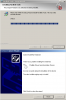
1) Begin the install process http://cl.ly/ef4b0b60f4054600b8e3
2) "ksuser.dll" will be an issue http://cl.ly/f90a4690c1b0f117ebcf
3) "Browse" to C: > WINDOWS > system32 http://cl.ly/db24d4d03f674fe92207
4) Click "Open" http://cl.ly/ce9a90aa22c94bcfca5e
5) Click "OK" http://cl.ly/e9c69d700ac3ba094a5b
6) A "Copy Error" will pop up (who knows what this is!?) http://cl.ly/dd71f52879ffabfbe066

- - NOTE the screenshots show a different file name, because trying to take them screwed up the process a little, although it should not affect your results - -

7) "Browse" to C: > WINDOWS > system32 > drivers http://cl.ly/1f4dfdaf3acebd935df0
8) Click "Open" http://cl.ly/0177ce2eceead31ce969
9) Click "Retry" http://cl.ly/28ac63eaede68120724c
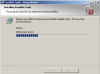
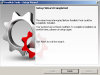
10) Install succeeds http://cl.ly/c51caeae1b4992ce9c9b
 
This Works!

The following post worked for me. I am running Windows XP SP3 on a Parallels Desktop for Mac 6.0. This was an upgrade and my Windows OS was working just fine under 5.0. I tried the solutions in the Parallels KB, and those were a waste of time.

Hi everyone!

Just found a quick workaround for the installation problem. Had the same errors with a XP SP3-VM as many of you here-- installation routine would show a 100% progress bar, hardware wizard windows with a "Done" button, after clicking that the rollback of the tools starts and the VM becomes useless.

Here's how it worked for me:
- Start Parallels Tools installation.
- Wait for the Hardware Wizard window-- don't click "Done"!
- Activate the task manager with a right click on the taskbar.
- Highlight the hardware wizard entry in "Applications" and click "End application".
- Another dialogue window comes up asking if you want to continue-- you want.
- After that, Windows asks for a driver "ksuser.dll" - locate it inside C:/Windows/System32.
- Might be Windows wants "ks.sys" as well after that-- locate it at C:/Windows/System32/drivers.

After these steps the installation finished without any errors-- and after a short reboot of the VM everything is smooth and runs absolutely great.

But, well, yes, I think the Parallels Tools installer needs a patch.

Hope this helps!

[UPDATE] Just found two additional mouse/HID-entries in the Device Manager with a warning symbol. I just deactivated the devices for now, everything is working fine so far.
 
Parallels Tools is failing to install as well for me...but for different reasons :-/

I just upgraded to Parallels Desktop 6 from 5 today. I'm running Windows 7 on a Mac with it. I uninstalled Tools and McAfee like the instructions told me. I upgraded, and found that my shared folders weren't working. I tried to reinstall Tools, but the installer gets about halfway and throws the following error: "Error 2738.Could not access VBScript run time for custom action." and then "An error occurred while trying to install Parallels Tools. Press Ok to have your computer to restart and you can try to install Parallels Tools again."

The funny part about this is that it says Tools is installed, except Tools doesn't show up under Add/Remove Programs. The folders are there, but they appear to be log files; nothing vital.

tl;dr I can't access /psf and Tools says it's installed, but lies to me.
 
Last edited:
Desktop 6 - Tools won't upgrage - error 2738 - vbscript.dll

Parallels Tools is failing to install as well for me...but for different reasons :-/

I just upgraded to Parallels Desktop 6 from 5 today. I'm running Windows 7 on a Mac with it. I uninstalled Tools and McAfee like the instructions told me. I upgraded, and found that my shared folders weren't working. I tried to reinstall Tools, but the installer gets about halfway and throws the following error: "Error 2738.Could not access VBScript run time for custom action." and then "An error occurred while trying to install Parallels Tools. Press Ok to have your computer to restart and you can try to install Parallels Tools again."

The funny part about this is that it says Tools is installed, except Tools doesn't show up under Add/Remove Programs. The folders are there, but they appear to be log files; nothing vital.

tl;dr I can't access /psf and Tools says it's installed, but lies to me.
-------------------------------------
Problem:
Under Parallels Desktop 6 for Mac, Parallels Tools will not upgrade on Windows 7 Pro. During Parallels Tools upgrade installation, I get an error "Error 2738.Could not access VBScript run time for custom action."

The problem was caused by the free, Parallels-supplied Kaspersky Internet Security 2011, which was causing Blue Screen of Death Windows 7 shutdowns. I uninstalled Kaspersky, but the uninstall did not complete properly. It left an entry in the Control Panel Programs and Features section. When I try to right-click on it (Uninstall/Change), I get the error "This action is only valid for products that are currently installed." Searching the windows registry using regedt32, I find a number of leftover Kaspersky turds. I didn't remove any of the leftover Kaspersky turds from the registry.

It turns out that the Kaspersky uninstallation left a bad path in the registry:
HKEY_LOCAL_MACHINE\SOFTWARE\Classes\CLSID\{B54F3741-5B07-11cf-A4B0-00AA004A55E8}\InprocServer32
pointing to a non-existant dll (the whole Kaspersky directory was removed from Program Files during the Kaspersky uninstallation -
Default -- REG_SZ -- C:\Program Files\Kaspersky Lab\Kaspersky Internet Security 2011\scrchpg.dll

So, when Parallels Tools was trying to upgrade itself, it couldn't find vbscript.dll.

Solution:
Fix the path to the vbscript.dll in the registry.
Open (as administrator) a cmd window. Run regedt32. Navigate to:
HKEY_LOCAL_MACHINE\SOFTWARE\Classes\CLSID\{B54F3741-5B07-11cf-A4B0-00AA004A55E8}\InprocServer32
Right-click on InprocServer32 and edit the permissions to give yourself FULL CONTROL.
Edit the Default string to point to the REAL vbscript.dll in C:\Windows\System32\vbscript.dll
Again, right-click on InprocServer32 and edit the permissions - UNCHECK the FULL CONTROL permission you gave yourself.
Close the registry editor window. I always reboot after editing the registry.
After the reboot, Parallels Tools will automatically upgrade itself - this time, successfully.

Summary:
Fix the registry to point to vbscript.dll
Change:
HKEY_LOCAL_MACHINE\SOFTWARE\Classes\CLSID\{B54F3741-5B07-11cf-A4B0-00AA004A55E8}\InprocServer32
Default -- REG_SZ -- C:\Program Files\Kaspersky Lab\Kaspersky Internet Security 2011\scrchpg.dll
to:
Default -- REG_SZ -- C:\Windows\System32\vbscript.dll

Helpful link (thanks, Kevin... sanity is MUCH better!) :
http://www.blogordie.com/2010/08/msi-installer-errors-on-cisco-vpn-under-windows-7/
 
Keep trying!

From experience, the best advice I can give you is to keep trying to install PT until it does install. It may take 5-6 times. Yes, a PITA, I know.
 
BSOD Issues

It is really a shame that there are 4 pages of threads trying to correct a issue that after 3 updates has still not been corrected.

I am very confused as to where the Parallels support team is in resolving this issue. I am sorry to just post a complaint but I did not purchase this upgrade to constantly be on this forum hoping to find a resolve these constant BSOD I am getting based on the beta version release of software that I am sure Parallels is seem a nice cash flow surge from.
 
i've had the problems being unable to install the tools now with Parallels 6.0 .

after the upgrade, when starting XP, i get dialogs with the message: "Windows could not install driver for mouse/keyboard/volume. Contact your hardware driver for assistance."

i try running the "Install Parallels Tools…" menu-item, and it causes me to force start Setup.exe from D: .

from there, i get multiple (4 times during one install) : "Windows could not install driver for mouse. Contact your hardware driver for assistance."

attachment.php


it then tells me there's a failure installing the parallels mouse driver:

attachment.php


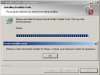
after that, it tells me it's rolling back the Parallels Tools install

attachment.php


and then it presents me with a dialog that the installation was interrupted, and that i need to restart and try again.

attachment.php


i've tried the restart trick twice without success.
 

Attachments

  • parallelsToolsInstall-mouseDriver.png
    parallelsToolsInstall-mouseDriver.png
    28.7 KB · Views: 38
  • parallelsToolsInstall-cannotInstall.png
    parallelsToolsInstall-cannotInstall.png
    44.4 KB · Views: 39
  • parallelsToolsInstall-rollingBack.png
    parallelsToolsInstall-rollingBack.png
    29.6 KB · Views: 39
  • parallelsToolsInstall-interrupted.png
    parallelsToolsInstall-interrupted.png
    66.7 KB · Views: 40
Back
Top