Parallels 4.0 won't start WindowsXP

I have had similar problems.

I have upgraded my bootcamp partition (but took a while because each of the four upgrade processes required me to "go manual" and then, when I'd gone in and progressed the installation screen that was holding things up, it'd take control with the automated process again).
Thanks.

My BootCamp upgrade to 4.0 did NOT go smoothly.
After doing the initial upgradeprcoess in 4.0 I was told to go manual. But, when I tried to boot windows, XP would not start up - there was now a problem with some file(s) (cannot remember which). My BootCamp installation was fresh, installed XP and all updates - that's it.
Now, I've reinstalled XP in BootCamp but I dare not run Parallels 4 again - I'm afraid it'll bugger up my installation, yet again :-(

Any advice on how to go about getting my BootCamp to run under 4.0?


Cheers,


-Morten
 
Last edited:
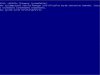
Here's another one :-(

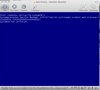
If the symptoms are like this: you start the upgrade, it stalls at stage 1, and after switching to manual mode you see a picture like attached, please tell us

1. What's the VM origin? Was the guest OS installed in some older version of Parallels Desktop (which one?), or was it transported from real host or VMware or VirtualPC?

2. Is this XP Home or Pro? Which service pack it had originally once installed? Which service pack it had before conversion to Parallels Desktop 4?

3. What was last done to the VM before upgrading to PD4? Was it in suspended state? Or was it paused and then shut down via red "stop" button? Or was it shut down gracefully?

4. If the backup of the VM is not that huge, are you ready to share it with Parallels so that we could take a closer look on what's happening to the VM during the upgrade process? Please send me a private message if you are.

We are working hard on resolving the issue.

I see a different picture after switching to manuell mode. (see attachment)

1. Origin VM was BootCamp-Partition running in Parallels 3.0 latest build.

2. XP Pro installed with SP2 running SP3 before upgrade.

3. VM has beend shutdown gracefully.

4. Of course the backup is quite small since it does not contain the diskimage.

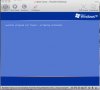
Now, booting into windows shows the same bsod. :-(
 

Attachments

  • Bild 1.jpg
    Bild 1.jpg
    6.2 KB · Views: 22
My BootCamp upgrade to 4.0 did NOT go smoothly.
After doing the initial upgradeprcoess in 4.0 I was told to go manual. But, when I tried to boot windows, XP would not start up - there was now a problem with some file(s) (cannot remember which). My BootCamp installation was fresh, installed XP and all updates - that's it.
Now, I've reinstalled XP in BootCamp but I dare not run Parallels 4 again - I'm afraid it'll bugger up my installation, yet again :-(


-Morten

Luckily I want for the dare - and tried to install 4.0 again. This time it worked. Took its time, but now it's up and running.
Phew, I really wasn't looking forward to reinstalling XP once again :-)


Cheers,


-Morten
 
Can't use transporter either

In addition I'm trying to rectify the problems by using the Parallels Transporter as mentioned earlier in the thread. Once the transporter finishes, the upgrade begins again when I load up parallels, and it gets stuck on the first stage of the process and according to the logs it seems to be stuck in this loop:

13/11/2008 23:01:49 kernel /drv/ HypVtd.c:3321 [vtdOnMonitorQuit]
13/11/2008 23:01:49 kernel /drv/ HypVtd.c:1902 [vtdFreeDomain] Unknown domain, do nothing...
13/11/2008 23:01:49 kernel /mon/ [HpcMonitorClose] Close monitor
13/11/2008 23:01:49 kernel /drv/ HypVMManager.c:419 Monitor quited successfully
13/11/2008 23:01:50 kernel /mon/ Invlpg scheme is 2 for os_type = 2055
13/11/2008 23:01:50 kernel /mon/ Memory initialized (available: 0x20000 pages, VESA: 0x8000 pages, swap: 0x28000 pages)
13/11/2008 23:01:50 kernel /mon/ [HpcMonitorOpen] hello from other side! uStartAddr = ec000000 base = ec000000 MonSize = b13
13/11/2008 23:01:50 kernel /mon/ [HpcMonitorOpen] Opened successfully
13/11/2008 23:01:50 kernel /drv/ HypIoctls.c:668 Parallels hypervisor inited (cpus=2 vtx=Enabled vtd=NO svm=NotPresent phy=PAE lin=x32 mem=2048)
13/11/2008 23:01:50 kernel /mon/ [DmmGetAcceptableChunk] {0,1} uAvailable=0, Suit=aaaa0, ActualState=40000
13/11/2008 23:01:50 kernel /mon/ Parallels Ipi=71
13/11/2008 23:01:50 kernel /mon/ [LoadMonitor] Monitor started
13/11/2008 23:01:50 kernel /drv/ HypRealCpu.c:578 CPUs calibrating
13/11/2008 23:01:50 kernel /drv/ HypRealCpu.c:621 CPUs (2) TSC counter calibrating was successful (calibrate time 0 mksek)
13/11/2008 23:01:53 Mac_SwapperDemon[180] ZTESwapperMain::checkUsbcdDevice Restore to the Initial state
13/11/2008 23:01:58 Mac_SwapperDemon[180] ZTESwapperMain::checkUsbcdDevice Restore to the Initial state

Anyone got any ideas about this? It's been stuck in this loop for more than 90 minutes now, the above log entries repeat every 30 seconds or so.

T.
 
Last edited:
My experience with the upgrade, as requested...

I wish it was that simple.

If the symptoms are like this: you start the upgrade, it stalls at stage 1, and after switching to manual mode you see a picture like attached, please tell us

Yep, that's what happens to me. First, I BSOD with the same message others report, then, I get caught in the endless loop that you show in your picture.

1. What's the VM origin? Was the guest OS installed in some older version of Parallels Desktop (which one?), or was it transported from real host or VMware or VirtualPC?

For me, I had a VPC image at one point, but did a full reinstall -- my original version was 2.0 of Parallels. I strongly suspect there's something lurking around from then that's causing the problem.

2. Is this XP Home or Pro? Which service pack it had originally once installed? Which service pack it had before conversion to Parallels Desktop 4?

Mine is XP Pro, the original version I installed was Version 2002, incorporating service pack 2. This was all prior to Parallels 4 conversion.

3. What was last done to the VM before upgrading to PD4? Was it in suspended state? Or was it paused and then shut down via red "stop" button? Or was it shut down gracefully?

It was shutdown.

4. If the backup of the VM is not that huge, are you ready to share it with Parallels so that we could take a closer look on what's happening to the VM during the upgrade process? Please send me a private message if you are.

I did send you a note.
 
raka, TonyMoroney,
You seem to have the same BSOD issue. That is, the VM tries to boot, BSODs, reboots, BSODs again and all this in a loop. We are working hard on the fix. TonyMoroney, is the backup of your VM huge? Will it be possible for you to share your VM with Parallels for closer investigation of the issue?

tlpresn,
Since you have tools installed (a Coherence working is a good indicator of this), you have successfully finished the upgrade process. No more actions needed.

infomatique,
It is important to understand what the BSOD is. Please try to reproduce the BSOD and see what the STOP: reads. Is it like 4B?

matt_d,
Please check your private messages.
 
raka, TonyMoroney,
You seem to have the same BSOD issue. That is, the VM tries to boot, BSODs, reboots, BSODs again and all this in a loop. We are working hard on the fix. TonyMoroney, is the backup of your VM huge? Will it be possible for you to share your VM with Parallels for closer investigation of the issue?

My VM is about 20GB, I can upload it overnight if need be, that's not a problem if you can provide me with access to a private (Parallels) FTP/sFTP server to use for upload? Would you want just the HDD image or all the other peripheral directory structure that comes with v4 VMs in Parallels (i.e. package)?

Did you also see my console output on an earlier post? Does that help to understand what the VM is trying to do that has it caught in a loop? Let me know how you want to proceed.

Cheers

T.
 
Boot Camp and Parallells

I have the same problem as everybody else.

Now I'm back in 3.0 and it's working, but I cannot start up on Boot Camp anymore.

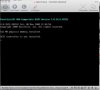
When I tries to start the computer on Boot Camp I get the message
"autochk program not found - skipping AUTOCHECK".

This was the same message that I did get when installing 4.0 (se images)

Before I could start either on Boot Camp or Parallells (boot camp, the same VM)

The AUTOCHECK.EXE file is there alright, I've even replaced it with a new one. But the same result.

I've also tried all the variation of installation procedure, but the same result.

Here are some screen shot from the installation.
 

Attachments

  • Bild 1.jpg
    Bild 1.jpg
    7.9 KB · Views: 17
  • Bild 2.jpg
    Bild 2.jpg
    8.5 KB · Views: 15
  • Bild 3.jpg
    Bild 3.jpg
    7.8 KB · Views: 12
  • Bild 4.jpg
    Bild 4.jpg
    13.4 KB · Views: 18
@Tim/Parallels Team

Thanks! I guess I've had better luck than some others, although from what I've seen at other sites many have had no problems at all.
 
Last edited:
I have the same problem as everybody else.

Now I'm back in 3.0 and it's working, but I cannot start up on Boot Camp anymore.

When I tries to start the computer on Boot Camp I get the message
"autochk program not found - skipping AUTOCHECK".

This was the same message that I did get when installing 4.0 (se images)

Before I could start either on Boot Camp or Parallells (boot camp, the same VM)

The AUTOCHECK.EXE file is there alright, I've even replaced it with a new one. But the same result.

I've also tried all the variation of installation procedure, but the same result.

Here are some screen shot from the installation.

Try to perform KB article 5447 up to step 8 including.Login to Mac OS and after you remove Boot Camp volder, just start Parallels Desktop
 
Another frustrated Parallels 4.0 update

I have exactly the same problem

Tried to perform upgrade, didn't make it past step one before fading back to the XP splash screen and stopped the booting process.
This VM was working in version 3.0 this afternoon, then I shut down Windows in version 3.0 before upgrading Parallels to version 4.0. Now when I start the VM, I get "Preparing to upgrade your virtual machine (step 1 of 4), then a black screen that looks like Windows screen where you choose whether to start normally or safe mode or safe mode with networking, but in less than one second that is replaced with the VM's WindowsXP splash screen (the same one that displays before clicking the Start button for the VM). Nothing works

I got past it with the CTRL + OPTION + COMMAND + R routine and then it bombs on the agp440.sys and returns me to the BSOD or BLACK Screen of Death.

Unfortunately the lovely "automatic" process also seems to have screwed up my backup when I hit "backup and convert". It did NOT backup the file as my HDD file is 60 gigs and my backup is 7 gigs. I have since backed up the "partially converted" file but it sounds like the option of reinstalling 3.0 and returning to the partially converted file is not going to work.

Come on Parallels! You should not release this crap to the world unless it works! I use this for business and only upgraded because a friend of my (using boot camp installation) upgraded fine. I do not have a boot camp install and my installation has been hell. I've been out of commission all Friday, the weekend, and it looks pretty bad for today.

Yet another reason to just completely convert to MAC.

FIX IT!!!
 
technonut2000,

Please perform the fix described at Microsoft Knowledge Base: http://support.microsoft.com/kb/324764

To do so,
1. Stop the VM
2. Attach a Windows installation CD to it.
3. Go to Virtual Machine->Configure menu. Browse to CPU tab. Make sure that the "Show advanced settings" checkbox is enabled in the bottom-left corner of the window.
4. Type
Code:
vm.compat_level=2
in "System Flags" field.
5. Close Configuration and start VM.
6. Capture input and press any key to boot from CD.
7. Perform the actions described in KB article.
8. Stop the VM.
9. Go to Virtual Machine->Configure menu. Browse to CPU tab. REMOVE the "vm.compat_level=2" string. Close Configuration menu and boot the VM.

After that the upgrade should be performed fine.
 
Last edited:
Tried the Transporter solution that seems to work for others except that it tells me I don't have this disk space. I have 20 Gigs free and it needs 60 gigs to convert my file. I am going to try to move my file off my computer and transport it to this computer. VERY frustrating! And converting a 60 gig file will probably take a week! Any help would be greatly appreciated.
 
A Summary of Useful Stuff I've Learned

Hi guys,
Here are some things I've learned.

1. After installing Bootcamp and then setting up a Parallels to use my Bootcamp installation, I had to use my keyboard (the mouse wouldn't work) to get to Windows to finish loading up so that the Parallels tools could finish installing. This means selecting your Windows XP user and hitting enter, entering Windows password, etc. The keyboard worked, the mouse didn't. After getting to the Windows desktop, the Parallels tools were able to complete installing.

2. There is a bug in the Configure window of Parallels. If you open it and change settings (or just look around, actually) and click "OK", sometimes it will reset the <SystemName> of the <Hdd> in the config.pvs file. This will produce the permissions/HD 1 error when you try to start your virtual machine. The support people at Parallels still think that error occurs because of problems in the update (3.0-->4.0) process or file permissions. Maybe so, but it ALSO can happen when a fresh installed user simply opens and changes a configuration setting. There is a bug in the Virtual Machine Configuration window. How do you fix it? You can edit <SystemName> in <Hdd> so it points back to the actual .hdd file inside the package contents of your virtual machine. Or apparently you can just open the Configure window and flip the Hard Drive settings to Image and then back to partition and that will fool it.

3. Windows Licensing between Bootcamp and Parallels: This is an odd issue, but understandable. Windows DRM wants to make sure you don't install the same version of Windows on two machines. Set up Bootcamp, then do Parallels, then reactivate Windows. You won't be allowed to! So, click the "Telephone" option, let Windows generate a support number, call the phone number they want you to, assure the computerized operator that you are installing Windows on ONE machine, and voila... you'll be given a code to enter and you'll be all set.

Hope some of this helps some of you guys... there are probably other bugs out there, especially with 3.0-->4.0 updates.
 
Hello.

I have a Problem with Parallels 4.0. Ok, i have uninstalled the previous 3.0 first and installed the Parallels 4.0 Upgrade. After that, Parallels 4.0 has to upgrade the "old" 3.0 XP Image (Step 1-4). But at the end, 4.0 starts up for a Second and quits without Error Message! I made a new Config for XP with the upgraded Image File but with the same result. Windows starts up end shuts down. If i start the VM, 4.0 upgrade the Image File again! After Step1 Windows starts up again und shut down. Can anyone help me?

Ralf.

Machine: MacPro 2.0 Dual Xeon, 6GB RAM, 512 ATI 3870

Like others, I have the same problem. A software upgrade installation should be idiot-proof. I'm an idiot, and I don't have hours to spend playing all the games described in this thread.

I ordered and received a CD of PD4.0. If you can fix the install/upgrade process, please send me a new CD and let me know you are doing this. Otherwise, please let me know where to send this one back.

/Mr Lynn
 
^I agree I have neither the time, inclination or intelligence to jump through the protracted hoops suggested above. I just want this fixed and working the way it should be.
I now have been out of operation for 3 working days.
 
Got it to work!

OK, I got it to work. I deleted the XP VM that PD4 had messed up (if it did) from the Parallels Library folder where the .hdd lives, duplicated the VM that I had initially created as a backup (as Parallels suggested, which suggestion I thankfully took), changed the 'copy' name to match the original, put it in the Library folder, and started over.

Don't know if this will apply to anyone else, but when Parallels tells you the VM upgrade has to be 'manual' and you have to log into your VM, the first time I habitually logged in as a regular user. This time I logged in as an administrator.

Whether that made the difference, or something else, I don't know.

This kind of thing should be intuitive and straightforward, but it isn't.

Haven't heard from Support re the ticket I created, but hey—you can cancel it.

/Mr Lynn
 
Back
Top