Can anyone please tell me if the following is a bug or a known "feature" for Parallels 12?
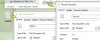
After upgrading OSX to High Sierra shared folders and files in for instance drive Z: (Mac home folder) lose the right ownership in Windows. For instance: the Security tab is gone in Windows folder and file properties and the Hidden checkmark will not "stick" when trying to hide or show a file or folder in Windows. This happens in all Windows VMs (7, 8.1 and 10 Fall Creators Update).
Please let me know how this can happen and how to solve the problem. I already tried re-installing Parallel tools. And files and folders within the VM behave as normal.
Thank you,
Theo de Kreijger
After upgrading OSX to High Sierra shared folders and files in for instance drive Z: (Mac home folder) lose the right ownership in Windows. For instance: the Security tab is gone in Windows folder and file properties and the Hidden checkmark will not "stick" when trying to hide or show a file or folder in Windows. This happens in all Windows VMs (7, 8.1 and 10 Fall Creators Update).
Please let me know how this can happen and how to solve the problem. I already tried re-installing Parallel tools. And files and folders within the VM behave as normal.
Thank you,
Theo de Kreijger