Hi Guys!
I've an very annoying problem with the new Parallels 11 which I can't solve on my own ...
First of all, hardware & software:
MBP Retina 2014, MacOS Yosemite, Thunderbolt Display, Windows 8.1 Pro and recently upgraded from Parallels 9 to 11
I think it is a very common hardware combo, so there should be a working solution ....
What I want: (and I think thousands of other users ... )
... )
If the Thunderbolt Display is disconnected and i start Parallels, Windows should run in the native MBP-Retina resolution (2880x1800) with DPI scaled to eg. 200% ... otherwise everything is way to small.
If the Thunderbolt Display is connected, Parallels/Windows should start on the Thunderbolt Display in the native resolution (2560x1440) with no DPI scaling (100%) ... otherwise everything is huge. The Retina MBP-Display should show the normal MacOS desktop.
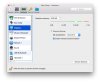
I can't find the right settings that both setups work together. If the TD is disconnected I have to set Parallels to "Retina optimized" and DPI scale to 200% ... now it looks good. Then I shut down Parallels, connect the TD, start Windows --> everything is blurry. So i have to set Parallels to "Scaled" and DPI to 100% ... now it looks good, but is it really necessary to dial in display-setup each time I use Windows in the office or on the go? I spent hours of trial and error to find this "easiest" solution, all the other configurations I did were even worse.
Btw. it worked fine with Parallels 9!!!
Any ideas or settings I can try?
Thanks in advance!
I've an very annoying problem with the new Parallels 11 which I can't solve on my own ...
First of all, hardware & software:
MBP Retina 2014, MacOS Yosemite, Thunderbolt Display, Windows 8.1 Pro and recently upgraded from Parallels 9 to 11
I think it is a very common hardware combo, so there should be a working solution ....
What I want: (and I think thousands of other users
... )If the Thunderbolt Display is disconnected and i start Parallels, Windows should run in the native MBP-Retina resolution (2880x1800) with DPI scaled to eg. 200% ... otherwise everything is way to small.
If the Thunderbolt Display is connected, Parallels/Windows should start on the Thunderbolt Display in the native resolution (2560x1440) with no DPI scaling (100%) ... otherwise everything is huge. The Retina MBP-Display should show the normal MacOS desktop.
I can't find the right settings that both setups work together. If the TD is disconnected I have to set Parallels to "Retina optimized" and DPI scale to 200% ... now it looks good. Then I shut down Parallels, connect the TD, start Windows --> everything is blurry. So i have to set Parallels to "Scaled" and DPI to 100% ... now it looks good, but is it really necessary to dial in display-setup each time I use Windows in the office or on the go? I spent hours of trial and error to find this "easiest" solution, all the other configurations I did were even worse.
Btw. it worked fine with Parallels 9!!!
Any ideas or settings I can try?
Thanks in advance!
 ....
....