Hi everybody,
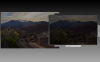
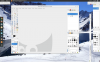
please have a look to the attached pictures, what i did was
- fresh installation of ubuntu 14.04 with the parallels wizard
- after installation the parallels tools where installed automatically
- downloaded chrome .deb file and installed it manually with double click over the ubuntu software center, as user
- installed Qt Enterprise with the online installer, as user
both installations where made to /opt, whereby the user is in root group and /opt is 775.
I have a Mac Pro with 2x D700 and 3D enabled on this virtual machine. With a fresh installation and disabled 3D it works fine without any issue.
parallels.log shows following warnings
09-26 11:11:33.236 I /prlcc:1769:1792/ Dynamic Resolution: Window Manager name 'Compiz'
09-26 11:11:33.236 I /prlcc:1769:1792/ Dynamic Resolution: allow changing resolutions
09-26 11:11:33.239 I /prlcc:1769:1792/ Dynamic Resolution: query screen modes via GDBus...
09-26 11:11:33.239 W /prlcc:1769:1792/ Warning: Dynamic Resolution: can't execute GDBus method GetResources: GDBus.Error rg.freedesktop.DBus.Error.ServiceUnknown: The name org.gnome.Mutter.DisplayConfig was not provided by any .service files
09-26 11:11:33.239 W /prlcc:1769:1792/ Warning: Dynamic Resolution: disable GDBus usage
Starting chrome over bash shows following errors
[13967:13967:0926/121121:ERROR:background_mode_manager_aura.cc(14)] Not implemented reached in virtual void BackgroundModeManager::EnableLaunchOnStartup(bool)
[1:20:0926/121128:ERROR:gpu_channel_host.cc(225)] Failed to send GpuChannelMsg_CreateOffscreenCommandBuffer.
[1:20:0926/121128:ERROR:webgraphicscontext3d_command_buffer_impl.cc(229)] Failed to initialize command buffer.
output of dmesg is also attached to this thread. OpenGL seems to work fine, glxinfo shows:
~$ glxinfo | grep OpenGL
OpenGL vendor string: Parallels and ATI Technologies Inc.
OpenGL renderer string: Parallels using AMD Radeon HD - FirePro D700 OpenGL Engine
OpenGL version string: 2.1 ATI-1.32.25
OpenGL shading language version string: 1.20
thanks in advance
please have a look to the attached pictures, what i did was
- fresh installation of ubuntu 14.04 with the parallels wizard
- after installation the parallels tools where installed automatically
- downloaded chrome .deb file and installed it manually with double click over the ubuntu software center, as user
- installed Qt Enterprise with the online installer, as user
both installations where made to /opt, whereby the user is in root group and /opt is 775.
I have a Mac Pro with 2x D700 and 3D enabled on this virtual machine. With a fresh installation and disabled 3D it works fine without any issue.
parallels.log shows following warnings
09-26 11:11:33.236 I /prlcc:1769:1792/ Dynamic Resolution: Window Manager name 'Compiz'
09-26 11:11:33.236 I /prlcc:1769:1792/ Dynamic Resolution: allow changing resolutions
09-26 11:11:33.239 I /prlcc:1769:1792/ Dynamic Resolution: query screen modes via GDBus...
09-26 11:11:33.239 W /prlcc:1769:1792/ Warning: Dynamic Resolution: can't execute GDBus method GetResources: GDBus.Error
rg.freedesktop.DBus.Error.ServiceUnknown: The name org.gnome.Mutter.DisplayConfig was not provided by any .service files09-26 11:11:33.239 W /prlcc:1769:1792/ Warning: Dynamic Resolution: disable GDBus usage
Starting chrome over bash shows following errors
[13967:13967:0926/121121:ERROR:background_mode_manager_aura.cc(14)] Not implemented reached in virtual void BackgroundModeManager::EnableLaunchOnStartup(bool)
[1:20:0926/121128:ERROR:gpu_channel_host.cc(225)] Failed to send GpuChannelMsg_CreateOffscreenCommandBuffer.
[1:20:0926/121128:ERROR:webgraphicscontext3d_command_buffer_impl.cc(229)] Failed to initialize command buffer.
output of dmesg is also attached to this thread. OpenGL seems to work fine, glxinfo shows:
~$ glxinfo | grep OpenGL
OpenGL vendor string: Parallels and ATI Technologies Inc.
OpenGL renderer string: Parallels using AMD Radeon HD - FirePro D700 OpenGL Engine
OpenGL version string: 2.1 ATI-1.32.25
OpenGL shading language version string: 1.20
thanks in advance