P9 with Win8.1 - Fuzzy/Poor Video?

Richard3

Member
Hi,

I just updated to Win8.1 and P9 about a hour ago. However my video/fonts(text) looks fuzzy - its like video is being unconverted very badly. Everything was looking find before on Win8/P8 ...

Suggestions?

Edit
I think this is mainly a problem with Outlook 365 ...
 
Last edited:
reinstall the video driver separately. See the other thread in this for instructions.

Im using PD9, In the Vm configuration page for the VM I enabled use retina displays and set the display scaling in the windows control panel to 200%.
Get retina resolution on fonts and icons but obviously stuff which is low res source material scales roughly. Best Windows has looked under PD for me so far although still not perfect.
I also updated to the latest version which I suspect fixes some issues relating to the upgrade to 8.1, possibly file sharing and retina scaling so worth doing if you have PD9.
 
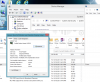
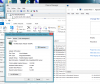
I am not sure if this is because of the PD Driver did not install - it is in there and I just updated P9 when I was prompted yesterday afternoon. Attached are two screens shots, one full screen (see outlook and device manager founts) and windowed.

I tried to install the P9 Video driver but Windows told me it was already installed and up to date.


windowed.PNGFullScreen.PNG
 
Last edited:
Hi, thank you for responding.

FYI - I forced uninstalled the P9 Video Driver and reinstalled it. Restarting Win8.1 and I have to say I do see improvement in the "fuzzy" department. However, things are just plain bigger, which in turn takes up more space. It's like everything is magnified.

Taken while Windowed ID: 29985821
 
Richard3,

What you're seeing is a new Windows 8.1 display scaling feature. There are certain thresholds of resolution/physical DPI at which Windows decides to adjust logical DPI. At the same time not all Windows in-box apps support DPI scaling, for those Desktop Window Manager scales the picture (which makes it fuzzy).
To fix it you can tune Windows scaling setting or disable it completely. With Windows running in full screen, right-click on Windows desktop and choose "Screen resolution", then click "Make text and items larger or smaller". Move the slider in the direction of the smaller scale or even tick "Let me choose one scaling for all my displays" and set appropriate scaling percentage.
 
Thank God, its back to normal with the latter suggestion (Let me choose ... set to 100%) - what a stupid feature to turn on by default - M$ are such morons sometimes!

Thank you Serv!
 
Richard3,

What you're seeing is a new Windows 8.1 display scaling feature. There are certain thresholds of resolution/physical DPI at which Windows decides to adjust logical DPI. At the same time not all Windows in-box apps support DPI scaling, for those Desktop Window Manager scales the picture (which makes it fuzzy).
To fix it you can tune Windows scaling setting or disable it completely. With Windows running in full screen, right-click on Windows desktop and choose "Screen resolution", then click "Make text and items larger or smaller". Move the slider in the direction of the smaller scale or even tick "Let me choose one scaling for all my displays" and set appropriate scaling percentage.

This can't be entirely the case. I'm running Windows 8.1 in Parallels via a Boot Camp partition. When I reboot into Windows 8.1 all the text and images are sharp. When I Parallels boot into 8.1, the text/images on the desktop are fuzzy. In both cases I'm running full-screen and full-resolution. Desktop icons also appear to be smaller.

If I had to take a guess what's going on here, I'd guess that the monitor EDID is being reported differently and Windows is tweaking something as a result (I used to work on display stuff on the Windows team). Indeed, when I pull the EDIDs out of the registry, the Parallels one is different than the Boot Camp one.
 
Update:

When I open Parallels fresh and start Windows 8.1, some of the desktop stuff is fuzzy and/or smaller than expected. However, if I leave Windows as fullscreen and reboot the VM, Windows comes back rendering exactly the same as when I use Boot Camp.

Either way, the "modern" UI is always correct. It's only legacy desktop stuff that renders inconsistently.
 
Also of note, the logon screen is always large, trying the reboot trick reduces it to the usual size for the screen, MBP 17 here. I often get the Full Screen pop-up box when starting Paralllels for the first time (I almost exclusively use Full Screen). Also the recommended resolution is 1024x768 rather than 1920x1200, so something is clearly wrong.
 
You have the wrong video driver installed. Try uninstalling Parallels Tools and reinstalling. Look in the hardware manager and see which video driver you have. My video works with any size desktop. It did not until I reinstalled.
 
Last edited:
Richard3,

What you're seeing is a new Windows 8.1 display scaling feature. There are certain thresholds of resolution/physical DPI at which Windows decides to adjust logical DPI. At the same time not all Windows in-box apps support DPI scaling, for those Desktop Window Manager scales the picture (which makes it fuzzy).
To fix it you can tune Windows scaling setting or disable it completely. With Windows running in full screen, right-click on Windows desktop and choose "Screen resolution", then click "Make text and items larger or smaller". Move the slider in the direction of the smaller scale or even tick "Let me choose one scaling for all my displays" and set appropriate scaling percentage.

Thank you so much for this tip. It drove me completely crazy and I could not understand why some windows apps were "fuzzy" in full screen and not the task bar.
Now it is perfect (setting forced to manual/100%).
 
Thank you so much.
I thought I was going to have to delete my instance of 8.1 and start over.
Interesting feature, just not one that I personally care for.
 
This can't be entirely the case. I'm running Windows 8.1 in Parallels via a Boot Camp partition. When I reboot into Windows 8.1 all the text and images are sharp. When I Parallels boot into 8.1, the text/images on the desktop are fuzzy. In both cases I'm running full-screen and full-resolution. Desktop icons also appear to be smaller.

If I had to take a guess what's going on here, I'd guess that the monitor EDID is being reported differently and Windows is tweaking something as a result (I used to work on display stuff on the Windows team). Indeed, when I pull the EDIDs out of the registry, the Parallels one is different than the Boot Camp one.

On one hand, Parallels EDID isn't identical to physical display EDID, it changes when you re-size VM window to reflect physical image size. On the other, Windows DPI scaling depends on physical DPI *and* also considers current resolution in pixels. To complicate matters some apps (notably Windows Explorer) latch DPI on start up, so when you re-size VM window they don't accommodate the change. In the end the resulting picture may be different on the same machine depending on the scenario. To make a fair comparison, as you already figured, the VM should be started in full screen mode.
The above applies to desktop apps only, metro UI apps scale in a more predictable manner.
 
Back
Top