OS X El Capitan 10.11.2 as guest OS in Parallels 10

NickF2

Junior Member
Hi,

I have a Bootable clone of a 10.11.2 machine on a external USB drive. The clone was made with SuperDuper, and I can boot my machine from the drive.

is it possible that I use this cloned copy to create a virtual machine? So I want to be able to use my macbook running 10.11.2 (any all the previously installed apps) via Parallels 10, than reinstall 10.11.3 on my macbook, reinstall Parallels and start with a (relatively) fresh machine.

However in Parallels 10 when I do a new virtual machine, I get the "New Virtual Machine" wizard, and this does not recognise the USB drive

I'm not sure from threads etc, but is the problem that I'm on Parallels 10, or am I doing something wrong?
 
Hi Dhruba,
thanks for the tip. Alas this does not solve the problem.

I see:
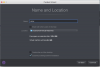
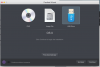
a) That the USB drive (a 2 TB USB Toshiba drive) is found in Parallels 11 (see Found USB)
b) That I can select to make a new machine from this drive (see Make new machine)
c) that I can't seem the USB drive in the boot order (see Configuration) and the machine is listed as being only 8 GB
d) When I accept, Parallels creates a new machine (see Starting OSX)
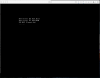
e) Then no bootable drive is found (see no drive)
f) then the machine (obviously) doesn't have anything to boot from (see No drive found)
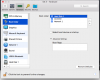
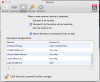
i see that the drive is correctly associated to the VM in Parallels Preferences (see Parallels options - USB)

Is there anything else I need to do to get the USB associated with the VM, and listed in the boot order?
 

Attachments

  • Found USB drive.png
    Found USB drive.png
    94.1 KB · Views: 1
  • make new machine.png
    make new machine.png
    75.8 KB · Views: 1
  • Configuration.png
    Configuration.png
    84.8 KB · Views: 1
  • Starting OSX.png
    Starting OSX.png
    50.1 KB · Views: 1
  • No drive found.png
    No drive found.png
    76.7 KB · Views: 1
  • no drive.png
    no drive.png
    40.1 KB · Views: 1
  • Parallels options - USB.png
    Parallels options - USB.png
    73 KB · Views: 1
Hi,

So I have created a image from the USB. It doesn't work - The VM doesn't boot from the image.
Steps I took were:
a) created a read only disk image of the bootable USB drive using SuperDuper
b) Parallels > New
c) Install windows or another OS from DVD or image file
d) Locate Manually
e) Image file
f) I then dragged and dropped the image file from point a)

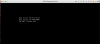
The created VM had the attached boot order and HDD setting.

It really seems to me that Parallels isn't as mature at creating VM's from OS other than Windows.
 

Attachments

  • bootup screen 1.png
    bootup screen 1.png
    32.3 KB · Views: 0
  • Bootup screen 2.png
    Bootup screen 2.png
    51.9 KB · Views: 0
  • boot order.png
    boot order.png
    84.7 KB · Views: 0
  • Hard disk settings.png
    Hard disk settings.png
    87.3 KB · Views: 0
And to clarify - disk image is 86GB.

You asked above the USB file format - I asked SuperDuper and they explained that they make a copy at the logical level of the drive.
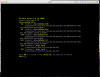
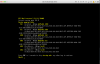
Looking in the drive at root level I see attached (terminal, cd /Volumes/Toshiba)

How do I tell the USB file format?
 

Attachments

And to clarify - disk image is 86GB.

You asked above the USB file format - I asked SuperDuper and they explained that they make a copy at the logical level of the drive.
Looking in the drive at root level I see attached (terminal, cd /Volumes/Toshiba)

How do I tell the USB file format?
Hello, please be informed that Parallels Desktop 10 Update 4 (10.4.0-29337) was released and the issue has been addressed. Please update Parallels Desktop to the latest build. Latest version always available here: http://www.parallels.com/directdownload/pd10/ Please note that Parallels Tools also needs to be updated (Actions > Update Parallels Tools) and let us know how it works. Thanks!
 
Hi Paul, thanks for your response.
i have tried again after installing Update 4 - no luck.
So to reiterate: I have a cloned OSX installation on a USB drive, and wish to virtualise this. I can boot from the cloned USB drive, and the clone has Parallels Desktop on it.
I read your response to Miros:
https://forum.parallels.com/threads...tion-inside-parallels-desktop-for-mac.336350/
which sounds very similar to my situation.
You said "[....]. You may install it on your Mac and then install Parallels Desktop to convert it into virtual machine"
Can you be a bit more explicit? Either you mean:
a) Reinstall the clone onto the machine (in my can as macbook pro) - in principle revert the machine to an older install. The when it's running, use Parallels desktop to convert into a VM, or
b) Boot from the external HDD, then run Parallels desktop, then convert to a VM.

For both of the above I don't know how to do the last step, that is to run parallels desktop on a machine and virtualise itself. Can you provide advice please?
 
Back
Top