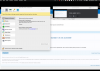
Optimization tab in configuration ( Parallels Desktop 13 for Mac standard ) is not accessible

RaminS2

Bit poster
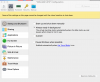
I have upgraded my Ver 12 to ver 13 ( Parallels Desktop for Mac standard home edition ) and can't see Optimization tab in configuration menu , is this feature only for Pro edition ?
Parallels Desktop® 13 for Mac User's Guide does not indicate any relation to Pro version .
any one have same issue ?
 

Attachments

  • can't see Optimization tab in configuration menu.png
    can't see Optimization tab in configuration menu.png
    217.9 KB · Views: 37
Alfea ,
thanks for reply , the tab optimization is not under options or no where else to be found . please see the screen shot I attached to my original post .
I have looked in every possible tabs or .... to find " optimization " and seems it is not there .

R
 
Hello @RaminS2,
  1. Start Parallels Desktop
  2. Click on the Parallels icon on Mac menu bar and choose Control Center.
  3. Click on the cogwheel to open Windows configuration and choose Options tab and check if you have optimization. if it is not there then please provide us a screenshot
Thanks
 
Alfena
thanks for response , see attached screen shot .
parallels desktop for Mac ,home ed , latest Version 13.0.1 (42947) , installed on Mac 15" late 2016
thanks
Screen Shot 2017-09-18 at 13.30.40.png
 
I am not able to get the activation to go through after upgrading to v13.

I had v12 which automatically renewed last month and I just installed v13 and it keeps giving me error below. I did not upgrade or receive a new key, the license just renewed automatically. I don't know what is going on...Its very hard to get a hold of you guys with an issue and I haven't been able to use my program since it renewed.

DJqBdStU8AA5byo.jpg:large
 
So an upgrade has fewer features? I upgraded to get macOS High Sierra support, but lose optimization features? This is NOT a good pattern to begin for the customer.
 
Meena,

I certainly agree with @RichardS18 and @RaminS2 . I have also upgraded to v13 to get High Sierra compatibility. Instead of dealing with monthly installments (Pro version) I chose to pay one time payment although in total both were the same amount. Now, my windows 10 virtual machine runs much slower. When I checked the forum I noticed that I needed to configure the virtual machine for speed (which was already configured back in v12). Now, I am stuck with no configuration option. This is certainly not acceptable. I was perfectly happy with the performance of v12, in fact this was the reason I switched from VMWARE in 2016. Now I see that this was a mistake.
 
Meena,

I certainly agree with @RichardS18 and @RaminS2 . I have also upgraded to v13 to get High Sierra compatibility. Instead of dealing with monthly installments (Pro version) I chose to pay one time payment although in total both were the same amount. Now, my windows 10 virtual machine runs much slower. When I checked the forum I noticed that I needed to configure the virtual machine for speed (which was already configured back in v12). Now, I am stuck with no configuration option. This is certainly not acceptable. I was perfectly happy with the performance of v12, in fact this was the reason I switched from VMWARE in 2016. Now I see that this was a mistake.

This is exactly my story. Word for word, minus switching from VMWARE.
 
So an upgrade has fewer features? I upgraded to get macOS High Sierra support, but lose optimization features? This is NOT a good pattern to begin for the customer.
That's Parallels way to force you into a subscription. With Parallels Desktop 11 many features are moved from Standard to Pro. In Parallels Desktop 12.1 they added a limit for 4 CPU / 8 GB per VM, so even a minor update had fewer features.
I'm curious what features will be removed in Parallels Desktop 14 Standard. We should create a list with our favorite features to make it a little bit easier for Parallels.
 
Back
Top