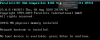
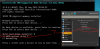
Many, many hours of frustration and I finally managed to convert a SATA to NVMe. Short story is that trying all the mbr2gpt / reagentc / bcdedit / bootrec commands were full of unfixable errors, then restarting the VM couldn't boot and couldn't load WinRE or boot into anything. Only option was to restore from a backup and try again. Finally after many errors with those commands from the initial try in WinRE, some combination of failing to restart with advanced options, then given another restart succeeded. I'm going to record my log of attempts here just for the record.
Host: MacBook Pro 16" 2019 running Parallels 17.
Guest: Windows 10 Enterprise Version 21H1 all updates current.
I did these in this order:
DISM /Online /Cleanup-Image /RestoreHealth
SFC /scannow
1. In guest, Settings, Update & Security, Recovery, Advanced Startup, Restart now.
2. Troubleshoot, Advanced Options, Command Prompt.
3. mbr2gpt /convert: MBR2GPT: Failed to update ReAgent. xml, please try to manually disable and enable WinRE. To fix, you need to reboot and manually disable and enable WinRE.
4. Changed to \windows\system32 directory.
5. reagentc /info shows Windows RE status disabled, location is empty, does show a bcd identifier
6. reagentc /enable /osguid {guid here} result - Operation failed: 3b3c (dec 15164)
Can't find that code with Google.
7. reagentc /setreimage /path D:\Recovery\WindowsRE succeeded.
regagentc /info results unchanged, with /enable still same error
8. bcdedit /enum all result is error: The boot configuration data store could not be opened."
9. chkdsk c: /r /f no issues
10. bootrec /rebuildbcd, responded Y, error: The requested system device cannot be found.
11. bootrec /fixboot, error Access is denied.
12. bootrec /fixmbr was successful, then /fixboot same error, /rebuildbcd same error.
13. retry all reagentc, bootrec, bcdedit commands tried above, same results.
14. Exit cmd, run Startup Repair: Startup repair couldn't repair your PC.
15. Reset this PC, local install: There was a problem resetting your PC, no changes were made.
16. Restart your pc with advanced settings failed, simple Restart button only presented, Restart your PC succeeded.
At this point the VM booted into Windows and the boot disk was GPT. What a mess that was!