No Wifi after December Windows update

JosephL6

Junior Member
After running Windows Update this morning, Windows no longer "sees" any Wifi connections, and "thinks" it is connected by ethernet (but it is connected by Wifi). Several programs are broken, including Office360. When I try to repair/reinstall them, Office tells me I am not connected. I've tried resetting the network adapters several times, to no avail. Anyone else having problems after the new update?

Thanks,
Jerry
 
After running Windows Update this morning, Windows no longer "sees" any Wifi connections, and "thinks" it is connected by ethernet (but it is connected by Wifi). Several programs are broken, including Office360. When I try to repair/reinstall them, Office tells me I am not connected. I've tried resetting the network adapters several times, to no avail. Anyone else having problems after the new update?

Thanks,
Jerry
Hello JosephL6, Let us ensure that Parallels Tools are properly installed. Please follow https://bit.ly/2N1mrkW to install Parallels Tools. If you see reinstall or update Parallels Tools then kindly reinstall it then kindly go to Actions--> Configure--> Hardware--> Network 1 and change it to Default adapter ( Bridged mode).
 
Hello JosephL6, Let us ensure that Parallels Tools are properly installed. Please follow https://bit.ly/2N1mrkW to install Parallels Tools. If you see reinstall or update Parallels Tools then kindly reinstall it then kindly go to Actions--> Configure--> Hardware--> Network 1 and change it to Default adapter ( Bridged mode).
Thank you. After I rolled back to the earlier windows version, I reinstalled parallels tools and everything works fine. The network is currently set to "shared"-is that OK?
 
I have the same problem. Unfortunately, I can't roll back because it is controlled by my company policy. Anyone has a solution?
 
Thank you. After I rolled back to the earlier windows version, I reinstalled parallels tools and everything works fine. The network is currently set to "shared"-is that OK?
We are glad to hear that the issue is resolved. Let us know if you have any questions.
 
  • I have Wifi over my macOS.
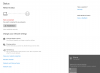
  • My VM Win10 says I don't connect to the internet, but when I check the available networks I see the I connected to ethernet network (attached screenshot)
  • I don't have internet over Edge (attached screenschot), however I have internet access over any other browser (Chrome, IE, Firefox).
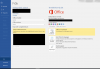
  • My biggest problem is the Office programs says I don't connect to the internet, so I can't access my onedrive files, can't work with SharePoint. (attached screenschot, my Word is Hungarian) However I can access my onedrive and SharePoint files over file explorer.
Screenshot 2018-12-26 at 9.05.30.png Screenshot 2018-12-26 at 9.07.22.png Screenshot 2018-12-26 at 9.05.52.png
 
I ended up resetting Windows 10 and got my wifi network connection back. Now I need to reinstall apps and reconfigure other aspects of Windows. Reminds me of why I made the move to Mac a few years ago.
 
Last edited:
hey, so i had this same problem and came to this thread but couldn't get any resolution from these solutions, and didn't really want to do any hard resetting and reinstallation. But I realized that it had occurred when I was at a new location, on a new wi fi network, and I then went into my windows firewalls and took them all down (I think it was the public network one that did it), and then restarted and now I'm all good to go-still connected through ethernet for some reason but I'll pretend my Windows thinks its plugged in via ethernet to my Mac because I'm a simpleton and don't care so much. So maybe that can help someone in the future.
 
Back
Top