No sound at Catalina 10.15.2! (Parallels Desktop 15.1.2 for Mac)

Also got this issue. When you're connected to your AirPods when starting the VM, audio is working until you disconnect your AirPods.
After that, there is no audio working on mac at all independently of the audio output device. Also when you reconnect the AirPods. You need to reboot the VM with the AirPods connected to have sound.
Pretty awefull...
 
Just had to pipe in and say that changing the hypervisor to Apple AND the audio type to AC97 fixed the issue for me. At least for now. I'll see if it continues to work.
 
Just had to pipe in and say that changing the hypervisor to Apple AND the audio type to AC97 fixed the issue for me. At least for now. I'll see if it continues to work.
Hi TimothyS12. Nice to know that you were able to sort out the issue and thanks for sharing the steps which fixed it. Please get back to us for any further queries.
 
Adding in that I can reproduce this as well - switching to Apple hypervisor avoids breaking audio but has unwanted side effects with performance and memory consumption. Would any logs be helpful to get a fix here?

Parallels 15 Pro version 15.1.4 (47270)
VM: Windows 10 1909
Host: macOS Catalina 10.15.5
MacBook Pro 16", 2019
 
Also got this issue. Switching to Apple hypervisor helps.

Parallels Desktop 15.1.4 (47270)
Host: macOS Catalina 10.15.5
VM: Ubuntu 18.04
MacBook Pro 13'' 2019
 
Just another voice indicating that switching Hypervisor from Parallels to Apple fixed the audio issues I'd been having.

Parallels 15 Business Edition version 15.1.4 (47270)
VM: Windows 10 2004
Host: macOS Catalina 10.15.6
MacBook Pro 16", 2019
 
I've also this issue, switching to Apple hypervisor helped BUT I've performance problems now, developing in Windows(VM) is frustrating

Parallels 15 for Mac Pro Edition 15.1.4 (47270)
VM-1: Windows 10 Pro 1909 Build 18363.959)
VM-2: Windows Server 2019 1809 Build 17763.1369
MacBook Pro 16" 2019 with Catalina 10.15.6

Does the new Parallels Version 16 fix this issue ?
 
Same here. Sometimes, as soon as I start a second VM, Sound on my Mac is gone. Stop the 2nd VM and sound is back again on the Mac.
Parallels Desktop 16 Pro Edition 16.0.0. (48916)
MacBook Pro 16'', 2019, macOS Catalina 10.16.6, AirPods Pro
Parallels Tools is installed in both VMs
It's not deterministic, sometimes Sound on the Mac remains undisturbed, sometimes it's gone when I boot a second VM. With only one VM this problem seems to be much rarer.
 
I've also this issue, switching to Apple hypervisor helped but I need to use Parallels hypervisor to developing in Windows(VM) is frustrating

Parallels 15 for Mac Pro Edition 15.1.4 (47270)
VM: Windows 10 Pro 2004 Build 19041.388
MacBook Pro 15" 2019 with Catalina 10.15.6

Does any fix for version 15 or only the new Parallels version 16 can fix this issue?
 
I have version 16 and audio stops working in MacOS immediately when I start my Windows VM from Boot Camp parition.
I verified Audio only stops working when I enable nested virtualization. When I leave that setting unchecked, audio works.

Parallels 16 for Mac Pro Edition (trial) Version 16.0.0 (48916)
VM: Windows 10 Pro 2004 Build from Boot Camp partition
Macbook Pro 16" 2019 with Catalina 10.15.6 with Supplement update
 
I take back my previous post. I'm not sure when it stopped working, but even with nested virualization unchecked, my macos audio and windows 10 audio stop working.
 
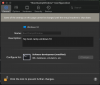
Yesterday I change the Configure for to Software development (I'm a developer) like below picture.
with some modified:
- Increate RAM to 10GB
- Disabled for Microphone, Speaker (I don't need sound from Windows)

The sound seems working now with Hypervisor is Parallels
@ZhenT1 what I mention for CPU high is when I use Hypervisor is Apple. Cannot take picture of TaskManager because whole Windows is hanging then need to restart Mac. I'm busy don't want to reproduce it now. Plz help to try in your testing machine.

Screenshot 2020-08-18 at 13.04.15.png
 
Back
Top