New Tools Not Showing Up

... but the parallels helpers always said to the just sign out from the toolbox and login again. However, I cannot find the sign out UI in the "About parallels toolbox", same to GreggS2.

It looks like Parallels Desktop(PD) and Parallels Toolbox integration problem.
If you deactivate Parallels Desktop temporally ( do sign out as explained above ),
Parallels Toolbox should give you an opportunity to enter a key manually.
Then you can do PD sign in and activate PD as usually.
 
Can you please send us a technical report from Toolbox via cogwheel > Help > Send Technical Data...
Please post the report ID here.
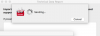
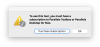
Report ID is 215537436. I also tried the suggested method from another reply to quit the toolbox, reboot then try again. Same issue. I also tried removing the toolbox using app cleaner, loading Parallels, signing out of my account, rebooting, then signing back in and reinstalling the toolbox. Still same issue. I can see the airplane mode and other tools when I search the mac for them, but they all open up a small dialog window stating I need to purchase a subscription, which I already have.
 
Hi, Sergeyt.
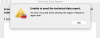
I also tried deactivation of the parallels desktop several times, but it did not work. I also tried to again following your post, but it didn't work too. I sent technical data. ID: 215545684. Please check again. I could not send tech data from the parallels toolbox due to an error message.
 
Interestingly, the tool box is activated state even though I signed out, deleted tool box, rebooting, and re-installed the toolbox.
And I cannot send the technical report due to an error message, sending failure again, again, and again.
Screen Shot 2017-09-30 at 2.49.32 PM.png
Screen Shot 2017-09-30 at 3.03.53 PM.png
Screen Shot 2017-09-30 at 3.04.29 PM.png
 
Hm. The main problem here that Parallels Toolbox is not signed in but it's still activated.

Try to remove Parallels Toolbox license manually from Terminal.app:
$ defaults remove ~/Library/Preferences/4C6364ACXT.com.parallels.toolbox.license.plist
then quit Parallels Toolbox (press on Parallels Toolbox --> cogwheel --> Quit) and start again.

If it doesn't help - deactivate Parallels Desktop ( do sign out as explained above ) and restart Parallels Toolbox again.

I hope it will help.
 
The terminal command worked for me also, had the same exact issue that Jae-YeonH had. The screen shots he posted looked exactly like mine did. Thanks!
 
Hello, I just bought a new Mac. And I want to move the licence from the old Mac to the new one. So I need to sign out my account in the old Mac. However, there is no button in the GUI. my technical report number: 232243871. Please help!
 
Hello, I just bought a new Mac. And I want to move the licence from the old Mac to the new one. So I need to sign out my account in the old Mac. However, there is no button in the GUI. my technical report number: 232243871. Please help!
Sign Out button is located in About window, which you can open by clicking Preferences (gear) button and choosing About Parallels Toolbox
 
Sign Out button is located in About window, which you can open by clicking Preferences (gear) button and choosing About Parallels Toolbox
Sorry, could you upload a screenshot? I really cannot find it.

What I can find is "Account & License", where I can see my Active License. Then there is no button to sign out.
 
Sorry, could you upload a screenshot? I really cannot find it.

What I can find is "Account & License", where I can see my Active License. Then there is no button to sign out.
Probably it means that your original license was activated through Parallels Desktop. So just sign out from Parallels Desktop and sign in with it there, and then install Toolbox -- it should work just fine.
 
Probably it means that your original license was activated through Parallels Desktop. So just sign out from Parallels Desktop and sign in with it there, and then install Toolbox -- it should work just fine.
I have always been using Parallels Desktop (see screenshot), I used version 12 and just upgraded to 13. It is in Parallels Desktop I cannot find how to sign out.
I am really astonished to see how many people have this issue and don't understand why you made signing out that complicated.
 
Probably it means that your original license was activated through Parallels Desktop. So just sign out from Parallels Desktop and sign in with it there, and then install Toolbox -- it should work just fine.
 

Attachments

  • Screen Shot 2017-12-21 at 13.04.36.png
    Screen Shot 2017-12-21 at 13.04.36.png
    119.9 KB · Views: 3
Back
Top