
Install the app
How to install the app on iOS
Follow along with the video below to see how to install our site as a web app on your home screen.
Note: This feature may not be available in some browsers.
You are using an out of date browser. It may not display this or other websites correctly.
You should upgrade or use an alternative browser.
You should upgrade or use an alternative browser.
New Tools Not Showing Up
- Thread starter DariusM
- Start date
Same thing here.
I just upgraded from Parallells Desktop for Mac from version 12 to version 13 for $49.00 One of my reasons for doing so was to unlock Disk Clean, Make GIF and Find Duplicates in Parallells Toolbox. I was under the impression that upgrading to Toolbox 2.0 and Desktop 13 would unlock those utilities. What is the least expensive way for me to get these? Do I have to go to the Pro subscription model? And if so, can I get a refund for the upgrade I just purchased?
Also, how many computers can the license for the Pro subscription be used on?
I just upgraded from Parallells Desktop for Mac from version 12 to version 13 for $49.00 One of my reasons for doing so was to unlock Disk Clean, Make GIF and Find Duplicates in Parallells Toolbox. I was under the impression that upgrading to Toolbox 2.0 and Desktop 13 would unlock those utilities. What is the least expensive way for me to get these? Do I have to go to the Pro subscription model? And if so, can I get a refund for the upgrade I just purchased?
Also, how many computers can the license for the Pro subscription be used on?

Dmitry Geynisman
Parallels Team
Hi @scrags, if you upgraded to Parallels Desktop 13, then your copy of Parallels Toolbox 2.0 supposed to have the new tools. Can you please send us a technical report from Toolbox via cogwheel > Help > Send Technical Data...Same thing here.
I just upgraded from Parallells Desktop for Mac from version 12 to version 13 for $49.00 One of my reasons for doing so was to unlock Disk Clean, Make GIF and Find Duplicates in Parallells Toolbox. I was under the impression that upgrading to Toolbox 2.0 and Desktop 13 would unlock those utilities. What is the least expensive way for me to get these? Do I have to go to the Pro subscription model? And if so, can I get a refund for the upgrade I just purchased?
Also, how many computers can the license for the Pro subscription be used on?
Please post the report ID here.
After the upgrade or reinstalling Toolbox, I signed out of Toolbox (Click the Gear / About Parallels Toolbox / Sign Out) and then quit the application. Then launch Toolbox, sign-in with your account, you maybe prompted for a license key. Then all the new tools showed up for me.
Give it a try, it worked for me.
Give it a try, it worked for me.
Thanks, Dimitry. I have sent a report. The ID is:Hi @scrags, if you upgraded to Parallels Desktop 13, then your copy of Parallels Toolbox 2.0 supposed to have the new tools. Can you please send us a technical report from Toolbox via cogwheel > Help > Send Technical Data...
Please post the report ID here.
207328610
EDIT: Dimitry, I was able to get everything working by following the advice of DariusM on this forum. I logged out of Tools, then logged back in and put in the S/N for my new copy of Desktop 13. That worked. Thanks for your time.
Last edited:
Thanks, DariusM. That worked!After the upgrade or reinstalling Toolbox, I signed out of Toolbox (Click the Gear / About Parallels Toolbox / Sign Out) and then quit the application. Then launch Toolbox, sign-in with your account, you maybe prompted for a license key. Then all the new tools showed up for me.
Give it a try, it worked for me.
I also can't log out because there is no toolbox. The UI is not showingI also upgraded to 13 but now my toolbox doesn't show up at all. I can see it is running when i go to 'Services' but there's nothing in the menu bar
I'm still on Parallels 12, but Toolbox updated to 2.0. When I try to run Find Duplicates (I had to create a keyboard shortcut to launch it) and it tells me I don't have a license. Although I am logged in and have a valid key entered. I signed out of the app, shut it down and restarted, logged in and added my key again and it still doesn't work.

Alex Patsay
Parallels Team
Bill, new tools from Toolbox 2.0 are available only to users with Toolbox subscription or Parallels Desktop subscription. If you have permanent Desktop license, you get an update to Toolbox 2.0 with new features, but no new tools.I'm still on Parallels 12, but Toolbox updated to 2.0. When I try to run Find Duplicates (I had to create a keyboard shortcut to launch it) and it tells me I don't have a license. Although I am logged in and have a valid key entered. I signed out of the app, shut it down and restarted, logged in and added my key again and it still doesn't work.
Had problem of all tools not installing in Parallels 13. Non of fixes mentioned here worked and neither did the terminal command to remove a Toolbox folder from ~Library. This on its own is not enough.
I have a very hand utility AppCleaner which will list all non-system apps on a Mac and remove selected ones. Works brilliantly and get rid of all assocaited file as well which is the issue here.
Quit Toolbox. Remove the app with AppCleaner and re-install from a downloaded version from your Parallels account. You will get a clean install and it will auto activate. Simplest, no effort solution!
Hope it works for you.
John B
I have a very hand utility AppCleaner which will list all non-system apps on a Mac and remove selected ones. Works brilliantly and get rid of all assocaited file as well which is the issue here.
Quit Toolbox. Remove the app with AppCleaner and re-install from a downloaded version from your Parallels account. You will get a clean install and it will auto activate. Simplest, no effort solution!
Hope it works for you.
John B
I purchased 13, and feel ripped off. There is no mention on their internet add that you do not get all the new tools in Toolbox (Clean, Duplicate, GIF). I did the $49.95 upgrade and got a reply that I had to purchase a different subscription. Very deceptive advertising!! You pay over 50 bucks with tax and don't get a full upgrade?
Hello @JohnA14 Please refer this article http://kb.parallels.com/124169 and check it helps.
P
Parallels User
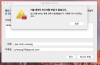
I am also having an issue with the Toolbox v2 with Parallels Desktop 13. I upgraded to it from 12 but upgraded as a subscription. Some tools I believe I should have access to, such as Airplane Mode, prompts me to buy a subscription. I even purchased a separate subscription for the toolbox, still had the same issue. I got a refund for that unnecessary subscription as it should be included with Parallels Desktop Pro 13. There are no options to re-activate toolbox or even sign in/out from the about window, as listed in the forums. All it says is that's an active subscription. Attached is the screenshot. All of my account information is shown on the Parallels Desktop side, so everything there seems to be working.

Sergeyt
Parallels Developers
Can you please send us a technical report from Toolbox via cogwheel > Help > Send Technical Data...I am also having an issue with the Toolbox v2 with Parallels Desktop 13. I upgraded to it from 12 but upgraded as a subscription. Some tools I believe I should have access to, such as Airplane Mode, prompts me to buy a subscription. I even purchased a separate subscription for the toolbox, still had the same issue. I got a refund for that unnecessary subscription as it should be included with Parallels Desktop Pro 13. There are no options to re-activate toolbox or even sign in/out from the about window, as listed in the forums. All it says is that's an active subscription. Attached is the screenshot. All of my account information is shown on the Parallels Desktop side, so everything there seems to be working.View attachment 12935
Please post the report ID here.
 I also have the same issue. I have used parallels desktop 12 (permanent license) and I purchased new parallels 13 license (permanent). I tried to solve this problem, but the parallels helpers always said to the just sign out from the toolbox and login again. However, I cannot find the sign out UI in the "About parallels toolbox", same to GreggS2. They also requested me to send tech report, but I could not send tech report. Whenever I tried to send the tech report, I always see an error message. I tried many times but it did not work at all. I also tried to sign out from the parallels desktop and re-install again, but... it did not work also. PLEASE SOLVE THIS PROBLEM.
Attachments
Sergeyt
Parallels Developers
... but the parallels helpers always said to the just sign out from the toolbox and login again. However, I cannot find the sign out UI in the "About parallels toolbox", same to GreggS2.
It looks like Parallels Desktop and Parallels Toolbox integration problem.
Try to deactivate Parallels Desktop ( PD ) and activate it again:
- sign out from Parallels Desktop ( Menu bar --> Parallels Desktop --> Account and License --> click on "email" at right top --> sign out )
- sign in and activate with your key from the list
- press on Parallels Toolbox --> cogwheel --> Quit
- start Parallels Toolbox again
- wait for 2 minutes - it tries to auto-activate