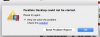
Parallels won't launch on my new MacBook Pro - even the installer won't launch, and now I have no Parallels Desktop installed (removed it trying to solve the problem) and unable to reinstall. Tried: Restarting (many), zap PRAM, download latest Parallels Desktop installer (several times), delete Parallels pref files and restart, disable SIP and try again (several times)... nothing seems to work. Can anyone help me please? ... ... Background: I bought a new MacBook Pro, I used Migration Assistant to transfer all my files, settings & applications from previous MBP (running Sierra) to new one (running High Sierra - latest update version). Parallels Desktop constantly refuses to launch saying "Parallels Desktop could not be started" in an error window with 'Please try again' and a small grey triangle with "Help me solve the problem" which opens to another line with link saying "Check this solution". Click the link and it takes me to a Parallels support page. Now, the phrase that accurately describes (the exact phrase in the error pane) the problem does not seem to appear on the page. It's become a HUGE problem for me, a week long rabbit hole of ineffective "support" (for the want of a more accurate term because support is SO difficult to get for Parallels -- they make themselves unavailable for support -- is that an economics thing? or just can't be bothered backing up their product?). Anyway, for a solid week now, I've been through an extensive list of attempts and repeated attempts and following links and trying this and that... anyway, no Parallels and no way to reinstall it. Just "Parallels Desktop could not be started." ... Any help much appreciated.

Install the app
How to install the app on iOS
Follow along with the video below to see how to install our site as a web app on your home screen.
Note: This feature may not be available in some browsers.
You are using an out of date browser. It may not display this or other websites correctly.
You should upgrade or use an alternative browser.
You should upgrade or use an alternative browser.
New Mac running High Sierra says "Parallels Desktop could not be started"
- Thread starter PaulWR
- Start date
S
Sathiya@Parallels
Hi PaulWR. Please disable/uninstall the antivirus application (if any) on your Mac, restart your Mac. Then refer this article to download and install Parallels Desktop 13 for Mac.Parallels won't launch on my new MacBook Pro - even the installer won't launch, and now I have no Parallels Desktop installed (removed it trying to solve the problem) and unable to reinstall. Tried: Restarting (many), zap PRAM, download latest Parallels Desktop installer (several times), delete Parallels pref files and restart, disable SIP and try again (several times)... nothing seems to work. Can anyone help me please? ... ... Background: I bought a new MacBook Pro, I used Migration Assistant to transfer all my files, settings & applications from previous MBP (running Sierra) to new one (running High Sierra - latest update version). Parallels Desktop constantly refuses to launch saying "Parallels Desktop could not be started" in an error window with 'Please try again' and a small grey triangle with "Help me solve the problem" which opens to another line with link saying "Check this solution". Click the link and it takes me to a Parallels support page. Now, the phrase that accurately describes (the exact phrase in the error pane) the problem does not seem to appear on the page. It's become a HUGE problem for me, a week long rabbit hole of ineffective "support" (for the want of a more accurate term because support is SO difficult to get for Parallels -- they make themselves unavailable for support -- is that an economics thing? or just can't be bothered backing up their product?). Anyway, for a solid week now, I've been through an extensive list of attempts and repeated attempts and following links and trying this and that... anyway, no Parallels and no way to reinstall it. Just "Parallels Desktop could not be started." ... Any help much appreciated.
Thanks for the response Sathiya.
No success. No different to previous attempts. ... I completely uninstalled virus/security application, restarted Mac, checked that SIP is disabled using csrutil in Recovery disk, then did everything in the linked article, including downloading a fresh installer (the fourth I've downloaded in trying to resolve this issue!)... no success... again. ... When installing, the windows that come up, in order of appearance say: Click to install then (1) "Checking for new software..." (pauses here) then... (2) "Parallels Desktop requires an administrator name and password to begin installation" (I enter the info)... then it begins installing, then... (3) "Initializing Parallels Desktop..." then a couple of seconds, then (4) "Parallels Desktop could not be started".
Any more suggestions?
In case it helps: My OS= High Sierra 10.13.4 // Mac= MacBook Pro, 15-inch, 3.1 GHz, 16 GB 2133 MHz LPDDR3.
No success. No different to previous attempts. ... I completely uninstalled virus/security application, restarted Mac, checked that SIP is disabled using csrutil in Recovery disk, then did everything in the linked article, including downloading a fresh installer (the fourth I've downloaded in trying to resolve this issue!)... no success... again. ... When installing, the windows that come up, in order of appearance say: Click to install then (1) "Checking for new software..." (pauses here) then... (2) "Parallels Desktop requires an administrator name and password to begin installation" (I enter the info)... then it begins installing, then... (3) "Initializing Parallels Desktop..." then a couple of seconds, then (4) "Parallels Desktop could not be started".
Any more suggestions?
In case it helps: My OS= High Sierra 10.13.4 // Mac= MacBook Pro, 15-inch, 3.1 GHz, 16 GB 2133 MHz LPDDR3.
S
Sathiya@Parallels
Please refer this article to generate the technical report while the error message is on the screen and reply with the report id to check this internally.Thanks for the response Sathiya.
No success. No different to previous attempts. ... I completely uninstalled virus/security application, restarted Mac, checked that SIP is disabled using csrutil in Recovery disk, then did everything in the linked article, including downloading a fresh installer (the fourth I've downloaded in trying to resolve this issue!)... no success... again. ... When installing, the windows that come up, in order of appearance say: Click to install then (1) "Checking for new software..." (pauses here) then... (2) "Parallels Desktop requires an administrator name and password to begin installation" (I enter the info)... then it begins installing, then... (3) "Initializing Parallels Desktop..." then a couple of seconds, then (4) "Parallels Desktop could not be started".
Any more suggestions?
In case it helps: My OS= High Sierra 10.13.4 // Mac= MacBook Pro, 15-inch, 3.1 GHz, 16 GB 2133 MHz LPDDR3.
S
Sathiya@Parallels
Thank you. We will check and update as soon as possible.ID Number 256230198

Dmitry Geynisman
Parallels Team
Thank you for the report, Paul. Our Support Team will contact you soon to troubleshoot the issue.ID Number 256230198
NEIL REIFF
Member
SOLVED!!
After migrating from El Capitan to High Sierra, my "Parallels 14 could not be started". After several hour on the telephone with Parallels support and after trying many different things, the problem was resolved by reinstalling the MacOS High Sierra.
Perhaps the OS did not install correctly because I jumped two steps from El Capitan to High Sierra??
THE Steps to reinstall MacOS:
1) Restart Mac is Recovery mode. Press Windows key + R after restart.
2) Choose Reinstall MacOS from menu.
3) Pray.
After migrating from El Capitan to High Sierra, my "Parallels 14 could not be started". After several hour on the telephone with Parallels support and after trying many different things, the problem was resolved by reinstalling the MacOS High Sierra.
Perhaps the OS did not install correctly because I jumped two steps from El Capitan to High Sierra??
THE Steps to reinstall MacOS:
1) Restart Mac is Recovery mode. Press Windows key + R after restart.
2) Choose Reinstall MacOS from menu.
3) Pray.
Last edited: