New computer, unable to activate

DanS10

Bit poster
Hi! I have a new-to-me mac and am unable to use my parallels license on the new machine. How can I deactivate the license on my old machine?

Thanks!
 
Thanks for your prompt reply, @Shathish@Parallels!

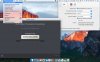
Unfortunately I do not see that screen referenced in the help article in Parallels 10. I have attached a screenshot to show you what is available to me. I am on version 10.4.0. Thanks!

Screen Shot 2017-11-19 at 6.41.59 AM.jpg
 
Last edited:
Hello @DanS10 We have made the necessary changes, Now you can go ahead and try to activate the Parallels Desktop. Please use the below steps to activate the Parallels Desktop.

1. Quit Parallels Desktop.

2. Open Terminal (Finder > Applications > Utilities > Terminal.app)

3. Execute the command: prlsrvctl activate-license-online

and check it helps. Thanks, Shathish
 
Back
Top