Network Initialization Failed

The network is down again! It worked for 1-2 days, now it doesn't work again!
Now it doesn't help to use the "sudo rm /Library/Preferences/SystemConfiguration/NetworkInterfaces.plist && sudo killall -9 configd" command!
This is very bossuanto!
Hello,
Did you test it with the beta 9?
 
Hi,
I'm also having the same issues as mentioned in this thread. I'm using Big Sur Beta 9 with the newest Parallels version 16.0.1 (48919). The command "sudo rm /Library/Preferences/SystemConfiguration/NetworkInterfaces.plist && sudo killall -9 configd" didn't work (quit Parallels, execute command, restart macOS). After some disconnecting and then connecting network in VM settings, it works again. But only the "standard internet connection", the VPN (OpenVPN) of macOS (host) will not work in Windows 10 (guest): All in the openvpn config defined IPs doesn't work.

Any other suggestions though?

Thanks!
 
Sorry for double post, but I can't edit my last post. I think I know what the problem is.
  • If I'm connected to openVPN on my host (macOS) and then start the virtual machine, I get the network error in Parallels (Initializing network failed). Network will be automatically disconnected by Parallels. Also, I don't get network to be functional again (disconnecting and connecting again don't work anymore; Choosing other network sources like Bridged also don't solve this issue). So no internet or network connection at all. All defined IPs in the openVPN config are working on my host (macOS) but not on my guest (Windows 10 2004). Connecting to openVPN in guest Windows 10 is also not possible (hangs on TCP_CONNECT step).
  • If I'm disconnected from openVPN on my host (macOS) and then start the virtual machine, I don't get any error. Network is connected in Parallels. On macOS (host), I've "normal internet connection", so "normal websites" are working. In openVPN defined IPs are not working. In Windows 10 (guest), normal internet connection", so "normal websites" are working. I also can connect to openVPN and the defined IPs will also work. If I shutdown Windows 10 (guest), quit Parallels and reconnecting openVPN in macOS, all openVPN IPs will work again.
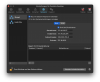
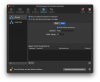
What I finally want to have is that macOS (host) is connecting to openVPN and Windows 10 (guest in Parallels) should also use this OpenVPN connection of macOS (so I don't have to connect openVPN also in Windows 10 again), so the host should share its VPN connection with the guest. Network type is NAT and its settings are "connect Mac with this network", checked "activate IPv4 DHCP" and given Start- and Endaddresses as well as defined Submask (see attachments, sorry for the german UI language). This settings worked a few days ago for just one day. After that day, I got the Initializing network failed error. Is there anything wrong with my settings or are they correct to get this VPN connection sharing working?

Thanks all!
 

Attachments

  • network-setting1.png
    network-setting1.png
    489.8 KB · Views: 49
  • network-settings2.png
    network-settings2.png
    474.1 KB · Views: 49
  • network.png
    network.png
    544.7 KB · Views: 48
Same issue..
BigSur Beta 11
Parallel 16.0..1 ( 48919 )

The terminal network command did not worked for me.. I cannot to use network from windows ( parallels )
 
Reminder for people who the command isnt working for.
On mine, before running the command, i had to go into parallels, preferences, network, and restore defaults.
Then run the command, then start up bootcamp or another vm and then it works
 
Reminder for people who the command isnt working for.
On mine, before running the command, i had to go into parallels, preferences, network, and restore defaults.
Then run the command, then start up bootcamp or another vm and then it works
Well, it does not for me and others. Tried your suggestion multiple times in the past.
 
Guys,
did you try the workaround from this KB article?

  1. Shut down the virtual machine and quit Parallels Desktop.
  2. Open Terminal (Applications > Utilities > Terminal), copy and paste the following command and press Enter:
    sudo rm /Library/Preferences/SystemConfiguration/NetworkInterfaces.plist && sudo killall -9 configd
  3. Then prompted, enter your Mac's password and press Enter (Terminal doesn't show the password as you type).
  4. Restart the Mac.
 
As we all mentioned, this command didn't work. VPN of my host (macOS) will still not forwarded to my guest (Windows). Did all of your steps and those steps @PaulM50 mentioned.
Is it a bug in Parallels or in Big Sur?
 
As we all mentioned, this command didn't work. VPN of my host (macOS) will still not forwarded to my guest (Windows). Did all of your steps and those steps @PaulM50 mentioned.
Is it a bug in Parallels or in Big Sur?
macOS Big Sur hasn't need released yet, Parallels Engineering Team works on the issue and once we get any news we will let you know.
From time to time the workaround above helps, that is why we reposted it here.
We are sorry for the inconvenience caused but do our best to resolve it as soon as possible.
Thanks a lot for understanding.
 
@Maria@Parallels No worry, I know that macOS Big Sur is still in beta :) I thought it may be Apples part here to get something fixed they had broken in a previous beta, so I thought to ask you. I'll try Beta 10 of Big Sur as soon as possible and will tell you the result.
 
@Maria@Parallels No worry, I know that macOS Big Sur is still in beta :) I thought it may be Apples part here to get something fixed they had broken in a previous beta, so I thought to ask you. I'll try Beta 10 of Big Sur as soon as possible and will tell you the result.
Thanks a lot for understanding and cooperation with us. Looking forward to your results.
 
No problem, I hope, I can help to solve the problem.
So, I updated to macOS Big Sur Beta 10. After I had shutdown the virtual machine and restart my MacBook again, the same error occurred. So I did the following steps:
  1. Shut down the virtual machine
  2. Restore defaults in virtual machine settings > Hardware > Network as well as in parallels settings > network (as @PaulM50 mentioned)
  3. Terminal > "sudo rm /Library/Preferences/SystemConfiguration/NetworkInterfaces.plist && sudo killall -9 configd"
  4. Restart macOS
With this steps, I'm able to use my virtual machine as before, no network issue so far. macOS seems to share VPN connection to my Windows 10 guest again, so no double VPN connection anymore. Even after restart macOS and Windows it still works. Yaaay :)
I think, overall, the issue is not completely fixed with Big Sur Beta 10, it seems that the user has to do some steps manually to solve it. But the workaround seems to work again (at least for me).

Thanks!
 
No problem, I hope, I can help to solve the problem.
So, I updated to macOS Big Sur Beta 10. After I had shutdown the virtual machine and restart my MacBook again, the same error occurred. So I did the following steps:
  1. Shut down the virtual machine
  2. Restore defaults in virtual machine settings > Hardware > Network as well as in parallels settings > network (as @PaulM50 mentioned)
  3. Terminal > "sudo rm /Library/Preferences/SystemConfiguration/NetworkInterfaces.plist && sudo killall -9 configd"
  4. Restart macOS
With this steps, I'm able to use my virtual machine as before, no network issue so far. macOS seems to share VPN connection to my Windows 10 guest again, so no double VPN connection anymore. Even after restart macOS and Windows it still works. Yaaay :)
I think, overall, the issue is not completely fixed with Big Sur Beta 10, it seems that the user has to do some steps manually to solve it. But the workaround seems to work again (at least for me).

Thanks!

Wel, again not in my case (2 machines Big Surprise beta 10, Parallels 16.0.1 (48919)
 
I also had this issue and tried every single suggestion. Running the application using sudo works, but now I have issues with accessing the microphone from vm.
Just installed FREE VMware Fusion 12, imported my machine, and everything works just fine!
I am on Big Sur Beta 10.
 
I can't even have parallel on to use Excel because it also disconnect my safari and some applications from internet as well
 
Back
Top