I did try to search the forums for a similar topic, but either my search terms weren't right or I truly have a unique case. Any help is appreciated here!
I'll start by explaining what I am trying to do:
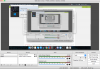
I use Parallels to run Windows 10 for a number of reasons, one of which is to play games. Yes yes, I know, Parallels is not ideal for gaming, but it works fine for the older games I play (notice I said fine, not great). One of these games I sometimes stream on Twitch for a few viewers to watch. Nothing fancy, but it makes a few of us happy. I've found that using OBS Studio is a great way to easily set up a live stream, but I've also found that if I have OBS and Age of Empires running at the same time, a slight lag gets introduced into my gameplay. It makes sense - graphics resources inside of a Parallels virtual machine are scarce, so having two graphics intensive applications running at once is likely to stretch things pretty thin.
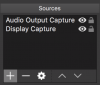
As such, my "brilliant idea" is to install OBS on Mac, set it up to simply stream my entire screen and computer audio (since I can no longer select the individual application). This will allow the Mac resources to power the stream while my VM resources are all dedicated to my game. Hopefully this works as well in practice as it does in my head. A preliminary test seemed to be successful.
Except for I ran into the problem:
The audio would not come through from the VM to the OBS software trying to record. Of course, I can still hear it on my speakers/headphones. Parallels settings did not change (set to default output, which = computer speakers or 3.5mm headphone jack).
I did make a little progress in understanding what is going on:
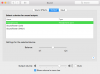
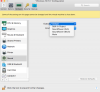
Not until I changed my settings to use Soundflower did I achieve success in recording audio from what my VM was outputting (settings changed in VM output to Soundflower, Mac settings to Soundflower, and OBS settings to Soundflower). This is a good thing - it means there is a way to record audio in Mac from a Parallels VM.
But I'm stuck on this:
For those of you familiar with Soundflower, you probably know that using it means I can't hear any sound through the speakers/headphones. So right now, I can record the audio or I can hear the audio, but I can't do both. UNLESS perhaps I were able to configure Parallels to have two sound output devices at the same time: Soundflower and default computer hardware. OR maybe one of you has a better idea that I haven't thought of. Either way, I am all ears.
A few technical details:
Computer: Mid-2012 Macbook Pro 2.6Ghz i7, 16GB RAM, NVIDIA GeForce GT 650M 1 GB, Intel HD Graphics 4000 1.5GB
Parallels Version: 13.3.2
Windows Version: Windows 10 Pro 64bit version 1803 Build 17134.228
Once again, I appreciate any input you guys can give. Feel free to ask any questions you need to gain a better understanding of the situation. If this thread turns out to be a good one, hopefully it can help somebody else in the future as well.
I'll start by explaining what I am trying to do:
I use Parallels to run Windows 10 for a number of reasons, one of which is to play games. Yes yes, I know, Parallels is not ideal for gaming, but it works fine for the older games I play (notice I said fine, not great). One of these games I sometimes stream on Twitch for a few viewers to watch. Nothing fancy, but it makes a few of us happy. I've found that using OBS Studio is a great way to easily set up a live stream, but I've also found that if I have OBS and Age of Empires running at the same time, a slight lag gets introduced into my gameplay. It makes sense - graphics resources inside of a Parallels virtual machine are scarce, so having two graphics intensive applications running at once is likely to stretch things pretty thin.
As such, my "brilliant idea" is to install OBS on Mac, set it up to simply stream my entire screen and computer audio (since I can no longer select the individual application). This will allow the Mac resources to power the stream while my VM resources are all dedicated to my game. Hopefully this works as well in practice as it does in my head. A preliminary test seemed to be successful.
Except for I ran into the problem:
The audio would not come through from the VM to the OBS software trying to record. Of course, I can still hear it on my speakers/headphones. Parallels settings did not change (set to default output, which = computer speakers or 3.5mm headphone jack).
I did make a little progress in understanding what is going on:
Not until I changed my settings to use Soundflower did I achieve success in recording audio from what my VM was outputting (settings changed in VM output to Soundflower, Mac settings to Soundflower, and OBS settings to Soundflower). This is a good thing - it means there is a way to record audio in Mac from a Parallels VM.
But I'm stuck on this:
For those of you familiar with Soundflower, you probably know that using it means I can't hear any sound through the speakers/headphones. So right now, I can record the audio or I can hear the audio, but I can't do both. UNLESS perhaps I were able to configure Parallels to have two sound output devices at the same time: Soundflower and default computer hardware. OR maybe one of you has a better idea that I haven't thought of. Either way, I am all ears.
A few technical details:
Computer: Mid-2012 Macbook Pro 2.6Ghz i7, 16GB RAM, NVIDIA GeForce GT 650M 1 GB, Intel HD Graphics 4000 1.5GB
Parallels Version: 13.3.2
Windows Version: Windows 10 Pro 64bit version 1803 Build 17134.228
Once again, I appreciate any input you guys can give. Feel free to ask any questions you need to gain a better understanding of the situation. If this thread turns out to be a good one, hopefully it can help somebody else in the future as well.
Last edited: