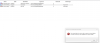
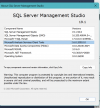
Hello! I keep encountering an error with this install, and can't seem to find a way around it. It just keeps giving me an "Oops... Unable to install SQL Server (setup.exe)." I've seen a number of posts, but nothing with a clear answer. Is this just not compatible with the M2 framework? If so, shouldn't Parallels find a workaround? Any bit of help would be very much appreciated. Thanks in advance!

Install the app
How to install the app on iOS
Follow along with the video below to see how to install our site as a web app on your home screen.
Note: This feature may not be available in some browsers.
You are using an out of date browser. It may not display this or other websites correctly.
You should upgrade or use an alternative browser.
You should upgrade or use an alternative browser.
Microsoft SQL Server in Windows on Arm
- Thread starter CoreyM5
- Start date
I've been fighting the same, tried giving this a try but was unsuccessful: https://medium.com/@ayushya/how-to-install-ms-sql-in-apple-silicon-m1-m2-in-parallels-da22341c1748

The error arises from the possibility that your M2 Mac's virtual Windows 11 Pro isn't entirely compatible with the SQL Server installation. To fix this, make sure your virtual environment satisfies SQL Server's system requirements. You may also want to consult an expert in virtualization or official SQL Server support for advice.
Hello! I keep encountering an error with this install, and can't seem to find a way around it. It just keeps giving me an "Oops... Unable to install SQL Server (setup.exe)." I've seen a number of posts, but nothing with a clear answer. Is this just not compatible with the M2 framework? If so, shouldn't Parallels find a workaround? Any bit of help would be very much appreciated. Thanks in advance!
Hi, I also have SQL Server installation issue, it was failing quite a lot of attempts finally I managed to install it with provided *.bat script, but now I can't login to SQL Server, login fails whatever I tried. Could you please advice?
I'm using MacBook with parallels win11, used this link https://github.com/jimm98y/MSSQLEXPRESS-M1-Install to install SQL Server and after a lot of attempts managed to install, but no way to login to SQL Server. Could you please advice?
I'm currently learning programming and considering buying a new laptop, but I'm feeling a bit overwhelmed and need to stick to a budget. In my courses, I'll be working with databases, SQL Server, and developing Windows Forms apps using C# in Visual Studio.
My question is: Would it be a good idea to buy a MacBook and use Parallels to run Windows on it? I'm concerned about how well SQL Server would work in this setup, and whether it's a practical solution for my needs.
My question is: Would it be a good idea to buy a MacBook and use Parallels to run Windows on it? I'm concerned about how well SQL Server would work in this setup, and whether it's a practical solution for my needs.
Hi, I ran into the same issue. Have you been able to log in to SQL Server 2022 yet?I'm using MacBook with parallels win11, used this link https://github.com/jimm98y/MSSQLEXPRESS-M1-Install to install SQL Server and after a lot of attempts managed to install, but no way to login to SQL Server. Could you please advice?

Mikhail Ushakov
Problem solver
Hello. Great news!
Microsoft has just released Public Preview of SQL Server 2025: https://info.microsoft.com/ww-landing-sql-server-2025.html.
Based on our tests, it can be installed in Windows on Arm without any issues.
Feel free to test it and share your feedback with Microsoft.
Microsoft has just released Public Preview of SQL Server 2025: https://info.microsoft.com/ww-landing-sql-server-2025.html.
Based on our tests, it can be installed in Windows on Arm without any issues.
Feel free to test it and share your feedback with Microsoft.

JamesF23
Hunter
At long last, though not officially supported (https://learn.microsoft.com/en-us/s...talling-sql-server-2025?view=sql-server-ver17), but at least it runs in the Prism x64 translation layer! Of course the SQL Server Management studio does not seem to launch at this current time, or at least I could not get it to work, yet.
Hello. Great news!
Microsoft has just released Public Preview of SQL Server 2025: https://info.microsoft.com/ww-landing-sql-server-2025.html.
Based on our tests, it can be installed in Windows on Arm without any issues.
Feel free to test it and share your feedback with Microsoft.
Hi Mikhail,
How did you do the install of SQL Server 2025? I tried it in 2 different Windows on ARM VM's and it is always failing. I downloaded the full cab file of the SQL Server 2025 CTP 2, mounted it as a DVD and launched the setup. I did choose the "Developer Enterprise" edition of SQL Server. In the SQL Server setup I made sure every feature except the "Database Engine Service" was unselected. All other settings related to security, TempDB,... where left to their default values.
After 20-30 seconds the setup just fails...
Action required:
Use the following information to resolve the error, and then try the setup process again.
Feature failure reason:
An error occurred for a dependency of the feature causing the setup process for the feature to fail.
In the log files I can see a bunch of errors:
: Target package: "E:\1033_ENU_LP\x64\setup\odbc\170\x64\msodbcsql.msi"
(01) 2025-06-03 19:32:09 Slp: InstallPackage: MsiInstallProduct returned the result code 1602.
(01) 2025-06-03 19:32:09 Slp: No retry-able MSI return code detected.
(01) 2025-06-03 19:32:09 Slp: ExecuteActionWithRetryHelper.Failed actionToExecute is 'Install_msodbcsql17_Cpu64_Action', stack trace at Microsoft.SqlServer.Setup.Chainer.Workflow.ActionInvocation.<>c__DisplayClass2_1.<ExecuteActionWithRetryHelper>b__0()
(01) 2025-06-03 19:32:09 Slp: at Microsoft.SqlServer.Setup.Chainer.Workflow.ActionInvocation.ExecuteActionHelper(ActionWorker workerDelegate)
(01) 2025-06-03 19:32:09 Slp: at Microsoft.SqlServer.Setup.Chainer.Workflow.ActionInvocation.ExecuteActionWithRetryHelper(WorkflowObject metaDb, ActionKey action, ActionMetadata actionMetadata, TextWriter statusStream)
(01) 2025-06-03 19:32:09 Slp: at Microsoft.SqlServer.Setup.Chainer.Workflow.ActionInvocation.InvokeAction(WorkflowObject metabase, TextWriter statusStream)
(01) 2025-06-03 19:32:09 Slp: at Microsoft.SqlServer.Setup.Chainer.Workflow.PendingActions.InvokeActions(WorkflowObject metaDb, TextWriter loggingStream)
(01) 2025-06-03 19:32:09 Slp: at Microsoft.SqlServer.Setup.Chainer.Workflow.ActionEngine.RunActionQueue()
(01) 2025-06-03 19:32:09 Slp: at Microsoft.SqlServer.Setup.Chainer.Workflow.ActionInvocation.<>c__DisplayClass2_1.<ExecuteActionWithRetryHelper>b__0()
(01) 2025-06-03 19:32:09 Slp: at Microsoft.SqlServer.Setup.Chainer.Workflow.ActionInvocation.ExecuteActionHelper(ActionWorker workerDelegate)
(01) 2025-06-03 19:32:09 Slp: at Microsoft.SqlServer.Setup.Chainer.Workflow.ActionInvocation.ExecuteActionWithRetryHelper(WorkflowObject metaDb, ActionKey action, ActionMetadata actionMetadata, TextWriter statusStream)
(01) 2025-06-03 19:32:09 Slp: at Microsoft.SqlServer.Setup.Chainer.Workflow.ActionInvocation.InvokeAction(WorkflowObject metabase, TextWriter statusStream)
(01) 2025-06-03 19:32:09 Slp: at Microsoft.SqlServer.Setup.Chainer.Workflow.PendingActions.InvokeActions(WorkflowObject metaDb, TextWriter loggingStream)
(01) 2025-06-03 19:32:09 Slp: at Microsoft.SqlServer.Setup.Chainer.Workflow.ActionEngine.RunActionQueue()
(01) 2025-06-03 19:32:09 Slp: at Microsoft.SqlServer.Setup.Chainer.Workflow.Workflow.RunWorkflow(WorkflowObject workflowObject, HandleInternalException exceptionHandler)
(01) 2025-06-03 19:32:09 Slp: at Microsoft.SqlServer.Chainer.Infrastructure.Action.Execute(String actionId, TextWriter errorStream)
(01) 2025-06-03 19:32:09 Slp: at Microsoft.SqlServer.Setup.Chainer.Workflow.ActionInvocation.<>c__DisplayClass2_1.<ExecuteActionWithRetryHelper>b__0()
(01) 2025-06-03 19:32:09 Slp: at Microsoft.SqlServer.Setup.Chainer.Workflow.ActionInvocation.ExecuteActionHelper(ActionWorker workerDelegate)
(01) 2025-06-03 19:32:09 Slp: at Microsoft.SqlServer.Setup.Chainer.Workflow.ActionInvocation.ExecuteActionWithRetryHelper(WorkflowObject metaDb, ActionKey action, ActionMetadata actionMetadata, TextWriter statusStream)
(01) 2025-06-03 19:32:09 Slp: at Microsoft.SqlServer.Setup.Chainer.Workflow.ActionInvocation.InvokeAction(WorkflowObject metabase, TextWriter statusStream)
(01) 2025-06-03 19:32:09 Slp: at Microsoft.SqlServer.Setup.Chainer.Workflow.PendingActions.InvokeActions(WorkflowObject metaDb, TextWriter loggingStream)
(01) 2025-06-03 19:32:09 Slp: at Microsoft.SqlServer.Setup.Chainer.Workflow.ActionEngine.RunActionQueue()
(01) 2025-06-03 19:32:09 Slp: at Microsoft.SqlServer.Setup.Chainer.Workflow.Workflow.RunWorkflow(WorkflowObject workflowObject, HandleInternalException exceptionHandler)
(01) 2025-06-03 19:32:09 Slp: at Microsoft.SqlServer.Chainer.Infrastructure.Action.Execute(String actionId, TextWriter errorStream)
(01) 2025-06-03 19:32:09 Slp: at Microsoft.SqlServer.Setup.Chainer.Workflow.ActionInvocation.<>c__DisplayClass2_1.<ExecuteActionWithRetryHelper>b__0()
(01) 2025-06-03 19:32:09 Slp: at Microsoft.SqlServer.Setup.Chainer.Workflow.ActionInvocation.ExecuteActionHelper(ActionWorker workerDelegate)
(01) 2025-06-03 19:32:09 Slp: at Microsoft.SqlServer.Setup.Chainer.Workflow.ActionInvocation.ExecuteActionWithRetryHelper(WorkflowObject metaDb, ActionKey action, ActionMetadata actionMetadata, TextWriter statusStream)
(01) 2025-06-03 19:32:09 Slp: at Microsoft.SqlServer.Setup.Chainer.Workflow.ActionInvocation.InvokeAction(WorkflowObject metabase, TextWriter statusStream)
(01) 2025-06-03 19:32:09 Slp: at Microsoft.SqlServer.Setup.Chainer.Workflow.PendingActions.InvokeActions(WorkflowObject metaDb, TextWriter loggingStream)
(01) 2025-06-03 19:32:09 Slp: at Microsoft.SqlServer.Setup.Chainer.Workflow.ActionEngine.RunActionQueue()
(01) 2025-06-03 19:32:09 Slp: at Microsoft.SqlServer.Setup.Chainer.Workflow.Workflow.RunWorkflow(WorkflowObject workflowObject, HandleInternalException exceptionHandler)
(01) 2025-06-03 19:32:09 Slp: at Microsoft.SqlServer.Chainer.Setup.Setup.RunRequestedWorkflow()
(01) 2025-06-03 19:32:09 Slp: at Microsoft.SqlServer.Chainer.Setup.Setup.Run(String[] args)
(01) 2025-06-03 19:32:09 Slp: at Microsoft.SqlServer.Chainer.Setup.Setup.Start(String[] args)
(01) 2025-06-03 19:32:09 Slp: at Microsoft.SqlServer.Chainer.Setup.Setup.Main()
(01) 2025-06-03 19:32:09 Slp: Error: Action "Install_msodbcsql17_Cpu64_Action" failed during execution.
(
Hello, everyone! I attempted to install SQL Server 2025, expecting to be able to launch it without any issues, but it is currently not possible. This error is displayed in the viewer when attempting to launch it.
ERROR VISOR EVENT
Windows cannot access the file for one of the following reasons: there is a problem with the network connection, the disk that the file is stored on, or the storage drivers installed on this computer; or the disk is missing. Windows closed the program SQL Server Windows NT - 64 Bit because of this error.
Program: SQL Server Windows NT - 64 Bit
File:
The error value is listed in the Additional Data section.
User Action
1. Open the file again. This situation might be a temporary problem that corrects itself when the program runs again.
2. If the file still cannot be accessed and
- It is on the network, your network administrator should verify that there is not a problem with the network and that the server can be contacted.
- It is on a removable disk, for example, a floppy disk or CD-ROM, verify that the disk is fully inserted into the computer.
3. Check and repair the file system by running CHKDSK. To run CHKDSK, click Start, click Run, type CMD, and then click OK. At the command prompt, type CHKDSK /F, and then press ENTER.
4. If the problem persists, restore the file from a backup copy.
5. Determine whether other files on the same disk can be opened. If not, the disk might be damaged. If it is a hard disk, contact your administrator or computer hardware vendor for further assistance.
Additional Data
Error value: 0x0
Disk type: 0x0
Additionally, I am unable to open SQL Server Management Studio 21, which is the latest version. Is there a solution available or will there be one soon to enable the use of these updated tools in Parallels?
ERROR VISOR EVENT
Windows cannot access the file for one of the following reasons: there is a problem with the network connection, the disk that the file is stored on, or the storage drivers installed on this computer; or the disk is missing. Windows closed the program SQL Server Windows NT - 64 Bit because of this error.
Program: SQL Server Windows NT - 64 Bit
File:
The error value is listed in the Additional Data section.
User Action
1. Open the file again. This situation might be a temporary problem that corrects itself when the program runs again.
2. If the file still cannot be accessed and
- It is on the network, your network administrator should verify that there is not a problem with the network and that the server can be contacted.
- It is on a removable disk, for example, a floppy disk or CD-ROM, verify that the disk is fully inserted into the computer.
3. Check and repair the file system by running CHKDSK. To run CHKDSK, click Start, click Run, type CMD, and then click OK. At the command prompt, type CHKDSK /F, and then press ENTER.
4. If the problem persists, restore the file from a backup copy.
5. Determine whether other files on the same disk can be opened. If not, the disk might be damaged. If it is a hard disk, contact your administrator or computer hardware vendor for further assistance.
Additional Data
Error value: 0x0
Disk type: 0x0
Additionally, I am unable to open SQL Server Management Studio 21, which is the latest version. Is there a solution available or will there be one soon to enable the use of these updated tools in Parallels?