
MBPr Cant get Bootcamp working - SOLVED
New MBPr 15", OS10.9.3, Bootcamp Windows 8.1 Pro, running & serialised. Bootcamp partition was saved from MBA, with Parallels 9 installed, using Winclone.
Bootcamp boots fine, no issues. Trying to use the bootcamp partition as a VM, launches bootcamp, but immediately tells me there is no system installed on bootcamp.
Latest Parallels 9.0.24229.991745 installed.
Please assist, thanks.
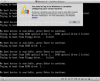
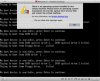
Booted back into bootcamp. Uninstalled parallels tools from windows. Booted back into Mac, deleted vm and started again. This time it said "Upgrading my Bootcamp". Sat there for a while, then came up with a window saying I must log into Windows to finish the install, but the screen at the back showed that it could not run the VM - no installed system found. Stop VM, start, same thing, again & again.
I've run out of ideas. Haven't ever had this issue, and been using Parallels since v1, various Macbooks. Bootcamp is running fine, Parallels just keeps telling me that it doesn't have an operating system installed. I'm not re-installing Windows, so I don't know anymore.
This fixed is for me:
After creating a new VM with Bootcamp, wait for the upgrade to 'fail'. Close the VM, and edit the config.
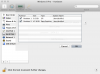
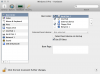
Under the Hardware tab, in Hard Disk 1, choose Edit Partitions. The EFI partition wasn't selected by default.
Still in the Hardware tab, Boot Order, and select Use EFI Boot.
After just those two setting changes, the bootcamp VM booted without any problems.
New MBPr 15", OS10.9.3, Bootcamp Windows 8.1 Pro, running & serialised. Bootcamp partition was saved from MBA, with Parallels 9 installed, using Winclone.
Bootcamp boots fine, no issues. Trying to use the bootcamp partition as a VM, launches bootcamp, but immediately tells me there is no system installed on bootcamp.
Latest Parallels 9.0.24229.991745 installed.
Please assist, thanks.
Booted back into bootcamp. Uninstalled parallels tools from windows. Booted back into Mac, deleted vm and started again. This time it said "Upgrading my Bootcamp". Sat there for a while, then came up with a window saying I must log into Windows to finish the install, but the screen at the back showed that it could not run the VM - no installed system found. Stop VM, start, same thing, again & again.
I've run out of ideas. Haven't ever had this issue, and been using Parallels since v1, various Macbooks. Bootcamp is running fine, Parallels just keeps telling me that it doesn't have an operating system installed. I'm not re-installing Windows, so I don't know anymore.
This fixed is for me:
After creating a new VM with Bootcamp, wait for the upgrade to 'fail'. Close the VM, and edit the config.
Under the Hardware tab, in Hard Disk 1, choose Edit Partitions. The EFI partition wasn't selected by default.
Still in the Hardware tab, Boot Order, and select Use EFI Boot.
After just those two setting changes, the bootcamp VM booted without any problems.
Last edited:
