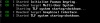
Manjaro 19 won't boot with Parallels 15

@kkplosdg Hi, the Manjaro 19 Operating system is not supported with Parallels Desktop 15. Please check the supported operating system with Parallels Desktop for Mac by referring this KB article https://kb.parallels.com/124223 so operating systems that are not present in this list can work as well. You can download the Parallels Desktop trial and install an operating system of your choice. If it doesn't work and you believe it should be supported, let us know at Parallels Forum.
 
Manjaro is a rolling release. You install Manjaro 18, run it successfully with updates for month, and then boom, it breaks. And the response is, we're sorry, we don't support Manjaro 19.

Fortunately, I just rolled back to the snapshot I took before updating, and I will dig this weekend to see what the problem is.
 
Since Manjaro 18 has been supported I do believe that Manjaro 19 should be supported, will this be fixed in an update or can a request be made at all?
 
I had this issue as well. I was able to work around it with two fixed:
To work around this during setup/installation:
1. Boot to the install media (gets to either black screen or a message saying that TLP has been started)
2. Then switch to a terminal with Ctrl-Alt-F2.
3. Log in as manjaro
4. Manually force the install of the video-vesa driver: $ sudo mhwd -i pci video-vesa
5. Start the graphical install environment: $ startx
6. Install normally

After Install:
1. Boot VM (gets to either black screen or a message saying that TLP has been started)
2. Switch to terminal with Ctrl-Alt-F2
3. Log in as system user
4. Click Actions -> Install Parallels Tools to attach the ISO to the VM
5. Mount parallels-tools install media: $ sudo mount /dev/sr0 /mnt
6. Run installer: $ sudo /mnt/install
7. Follow directions to install and then reboot system
This got me a working environment.
 
I successfully ran
4. Manually force the install of the video-vesa driver: $ sudo mhwd -i pci video-vesa
but then startx failed.
 
@@@@@2
It says service not found.
Depends on what edition of Manajaro you downloaded. I am using the KDE Plasma edition, which uses SDDM as the default window manager. You can try "gdm", "lxdm" or "lightdm" as well, depending on which one you downloaded.

Also, I could not get Manjaro 20 to work, but after the above I did manage to get 19 working. Parallels Tools installed alright on 19 after doing all the updates and rebooting, then installing PT. 20 however got a MAKE error on PT installation, it's not compatible.
 
I believe that's because Manjaro 20 comes with kernel 56, which is not supported by Parallels Tools. Manjaro 19 has kernel 54 and works fine. You could also install from Manjaro Architect ISO and choose finely all the options.
 
@kkplosdg Hi, the Manjaro 19 Operating system is not supported with Parallels Desktop 15. Please check the supported operating system with Parallels Desktop for Mac by referring this KB article https://kb.parallels.com/124223 so operating systems that are not present in this list can work as well. You can download the Parallels Desktop trial and install an operating system of your choice. If it doesn't work and you believe it should be supported, let us know at Parallels Forum.

If you view the post I just linked above to the manjaro tutorial, you will see all the steps needed to make Manjaro and most/all modern linux kernels work (Ubuntu 20, Fedora 23, etc etc etc). Perhaps you guys could make this process smoother using that information and then add all the latest distribution versions to your supported list. :)
 
Does anyone know why free Virtual Box handles Manjaro whereas Parallels has major issues? I am having trouble justifying renewing my Parallels subscription versus going with free Virtual Box.
 
@@@@@2

Depends on what edition of Manajaro you downloaded. I am using the KDE Plasma edition, which uses SDDM as the default window manager. You can try "gdm", "lxdm" or "lightdm" as well, depending on which one you downloaded.

Also, I could not get Manjaro 20 to work, but after the above I did manage to get 19 working. Parallels Tools installed alright on 19 after doing all the updates and rebooting, then installing PT. 20 however got a MAKE error on PT installation, it's not compatible.

this works for KDE. When trying for Gnome using gdm.service , Parallels crashes! Uggh
 
I followed the instructions of DouglasM6 and got the latest Manjaro up. Parallels Tools refuses to install with an error.

I had to use 'sudo systemctl restart lightdm.service' for the xfce version.

Very annoying that Parallels refuses to support this distrib.
 
This is a good example of why I don't think I'll be upgrading past v15 and will switch to something else like VMware Fusion. They're not interested in making things actually work, just in making alleged "optimisations" with every macOS release and asking people to fork out another £40 for nothing.
 
Back
Top