ChristopherN5
Bit poster
Software: Parallels Mac Desktop for Mac 15
Troubleshooting Issue: macOS Sierra 10.12 Installation Problems / macOS Sierra on macOS Mojave/ Catalina
Atten: Parallels troubleshooting.
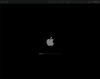
Trying to install macOS Sierra 10.12 from the "Install macOS Sierra.app" filed dragging across to the Parallels app, it (progress bar) gets a quarter way to starting up then simply stops back into the pause mode.
There is no other Sierra ISO file which is easily accessible, unless hacked/ created, this is the version which is readily available. Due to legacy software problems, I have to re install Sierra somewhere successfully and use iTunes successfully within it too.
I tried this via Microsoft Windows 10, and it kept quitting and refusing to allow media files to transfer inside. The last alternative is the purchase an older computer, install bootcamp, or Sierra on that older machine. Thankyou.
Troubleshooting Issue: macOS Sierra 10.12 Installation Problems / macOS Sierra on macOS Mojave/ Catalina
Atten: Parallels troubleshooting.
Trying to install macOS Sierra 10.12 from the "Install macOS Sierra.app" filed dragging across to the Parallels app, it (progress bar) gets a quarter way to starting up then simply stops back into the pause mode.
There is no other Sierra ISO file which is easily accessible, unless hacked/ created, this is the version which is readily available. Due to legacy software problems, I have to re install Sierra somewhere successfully and use iTunes successfully within it too.
I tried this via Microsoft Windows 10, and it kept quitting and refusing to allow media files to transfer inside. The last alternative is the purchase an older computer, install bootcamp, or Sierra on that older machine. Thankyou.