Maria@Parallels
Problem solver
Hello, you can check this out for more information about the Parallels Desktop and macOS compatibility.Is there a plan to support installation of Parallels 14 on macOS Big Sur?

Follow along with the video below to see how to install our site as a web app on your home screen.
Note: This feature may not be available in some browsers.
Hello, you can check this out for more information about the Parallels Desktop and macOS compatibility.Is there a plan to support installation of Parallels 14 on macOS Big Sur?
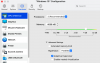
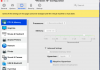
yes, this issue is still there after I updated to Big Sur final version 2BLooks like there is a minor UI issue with Version 16.1.0 (48950) and Big Sur 11.0.1 Beta (20B5012d). The full-size Control Center no longer displays the various icons for starting a VM, Settings, or Manage Snapshots. It's just a tiny "." instead.


Same issue here!! Is there a fix?Just updated to macOS Big Sur and cant start Windows 10 it comes up with this message.
I have started my mac several times.
View attachment 16849
I believe upgrading to parallels 16 is the only way. I know they sent me plenty of emails saying they will not be compatible.I'm on Parallels 13 and now I cannot open Parallels since I upgraded to Big Sur. Will there be a fix for Parallels 13 or is upgrading the only way?
Same challenge here... Does anyone know how you completely remove Parallels when we are in this "locked" position?I believe upgrading to parallels 16 is the only way. I know they sent me plenty of emails saying they will not be compatible.
Same issue for me. But I have 2 any connect profiles - split, where internet traffic goes directly and only corporate traffic uses VPN - this one does not work correctly in Win10 VM. The other anyconnect profile - all traffic via VPN - works in Win10 VM. If you have a possibility try this as a workaround.Indeed that setting is selected. As I mentioned above it works with the earlier version of AnyConnect but not with the latest.
Same issue, button glyphs are missing.yes, this issue is still there after I updated to Big Sur final version 2BView attachment 16840View attachment 16841
Just as an update, the issue appears to be GPU related. The GPU cranks up in Coherence mode to the point that it throttles my entire machine and has the fans spinning. It is related to one Windows based app (if I close the app the issue goes away). Again, this didn't happen before Big Sur and isn't an issue when not in Coherence.Anyone's fans now spinning when in Coherence mode? I did not have this issue on Catalina. My CPU / RAM levels are unchanged nor stressed, so not sure what's causing this.
Same problem here.Anyone's fans now spinning when in Coherence mode? I did not have this issue on Catalina. My CPU / RAM levels are unchanged nor stressed, so not sure what's causing this.
Same issue for me. But I have 2 any connect profiles - split, where internet traffic goes directly and only corporate traffic uses VPN - this one does not work correctly in Win10 VM. The other anyconnect profile - all traffic via VPN - works in Win10 VM. If you have a possibility try this as a workaround.
NVM. The network admin says that's not allowed to keep VPN traffic from getting out of control. He suggested that I run the Windows version of AnyConnect inside the VM and that is working fine. I'll keep the Mac version around only for those times I want to access network drives in the Finder.How would I disable the "split tunneling" feature in Cisco AnyConnect? I'm not seeing anything obvious.