macOS Big Sur and Parallels Desktop

I gave it a try too - to no avail. Only noteworthy issue: the dialog box that popped up after I reran, mntioning that Developer Tools Access has to take over:View attachment 16405
.
Finally got things to work after running the Virtual Box Uninstaller (Part of the VB Installer .dmg). Some problems remain: Ubuntu VM is booting, but doesn't load the XServer correctly (problem might be related to an old set of Parallels tools). Win10 boots nicely, no errors so far
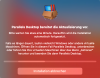
 
what can I do?

my installation doesn't finish, just this message
 

Attachments

  • Bildschirmfoto 2020-08-12 um 09.20.04 3.png
    Bildschirmfoto 2020-08-12 um 09.20.04 3.png
    328 KB · Views: 19
Ok, seems like may be some other applications has installed virtual box library or whatever, I ran the uninstaller tool from virtualbox and is working...
 
do i have to uninstall PD15 before upgrade, cause for me installation not work. its just loading.

I used the VB uninstall tool, but I have no other virtual box
 
Hello, could you please collect the tech report once the issue reproduced please?
And share with us the report's ID.
(short issue description will be very helpful, it's a very long thread.)
Hello and thanks for your answer. The report ID is 347031377.
The issue: if I start the VM "normally", I can't use any input device (mouse, keyboards, etc.), so I'm stuck at the login screen. If I start in safe mode, I can use the VM normally, with the limitations of safe mode. BS beta 4 in the guest VM didn't correct the issue.
 
I am running Big Sur Beta 4 and, as a temporary measure, I converted my Windows 10 VM to the technical beta of VMWare, which has been working reasonably well.
I have now installed Parallels Desktop V16 and converted the VMWare VM to Parallels, but now when Parallels starts the VM, I get stuck on a screen saying "Preparing Automatic Repair".
Any ideas on how to fix this?
By the way, before I did the conversion, I made sure to uninstall VMWare Tools.
 
I am running Big Sur Beta 4 and, as a temporary measure, I converted my Windows 10 VM to the technical beta of VMWare, which has been working reasonably well.
I have now installed Parallels Desktop V16 and converted the VMWare VM to Parallels, but now when Parallels starts the VM, I get stuck on a screen saying "Preparing Automatic Repair".
Any ideas on how to fix this?
By the way, before I did the conversion, I made sure to uninstall VMWare Tools.
Hi, did you get any error/warning during the cinvertation?
 
Hello and thanks for your answer. The report ID is 347031377.
The issue: if I start the VM "normally", I can't use any input device (mouse, keyboards, etc.), so I'm stuck at the login screen. If I start in safe mode, I can use the VM normally, with the limitations of safe mode. BS beta 4 in the guest VM didn't correct the issue.
Thanks a lot!
Did you reinstall Parallels Tools without any issues?
 
Hi, did you get any error/warning during the cinvertation?
No errors at all.
After the conversion phase, the message changed to "Preparing your Virtual Machine" and then the black screen with the Windows logo and the "Preparing Automatic Repair" message. I've tried the Action...Reset option a few times as well.
 
No errors at all.
After the conversion phase, the message changed to "Preparing your Virtual Machine" and then the black screen with the Windows logo and the "Preparing Automatic Repair" message. I've tried the Action...Reset option a few times as well.
Did you try the automatic Windows system check?
 
FWIW, I was gone for a couple of nights and returned to see that 16 was available. So, when I installed it, I got...

Screen Shot 2020-08-13 at 9.16.03 AM.png
I tried that suggestion from https://kb.parallels.com/en/114695, but that didn't help. Kept getting the same message as above. So, I came here to see what what going on and to see if anyone else was has the same or similar issues. I noted some discussion about the Hypervisor (Actions menu (or Control Center and click on the gear icon) > Configure > CPU & Memory > Advanced Settings). I saw that mine was set to Parallels and the other option was Apple. I merely changed it to Apple and my Parallels finally launched into Windows 10 (2004), which I had finally updated to last week.

Hope this helps.
 
Back
Top