macOS Big Sur and Parallels Desktop

IvanD@Parallels

Parallels Team
Hello everyone! This thread is dedicated to your feedbacks and questions about macOS Big Sur and Parallels Desktop, feel free to share them. Since the beta version of macOS Big Sur has just been released, the compatibility of Parallels Desktop and macOS Big Sur hasn't been fully tested yet by the Parallels Engineering Team. On the other hand, your feedbacks will help us to test and cover as many scenarios as possible. If your feedback includes technical data along with a short description of the situation you encountered, it will make further troubleshooting and resolution more efficient.
For your convenience we created KB article about the known issues with macOS 11 Big Sur and Parallels Desktop for Mac. Check the KB for more information and subscribe to get timely updates on the available workarounds and fixes.
 
Last edited by a moderator:
What's Parallels' stance on the future of virtualization on Mac after Apple switches to their own ARM chipsets? In the keynote today they showed Parallels running a Linux VM. Do you have any details on which flavor of Linux this was and its architecture? Most importantly, will Parallels still be able to virtualize x86 versions of Windows 10 on the new architecture?
 
The big question on my mind (and it has been on my mind since long before today's announcement) is whether or not Windows virtualization will be possible with the Apple ARM processors, and at what kind of performance cost? I rely on this support professionally. I realize that the majority of Mac users can get by without Windows virtualization at decent levels of performance, but I am sadly not one of them (I develop Windows-based software for a living, and use my Mac VMs as development and test environments).

Apple's demo today said there would be virtualization, and used Parallels to demonstrate Linux. But it was hard to miss the fact that they specifically did not mention Windows. I don't expect answers today, but I am hoping someone can give me an indication of when those answers will be forthcoming.
 
First issue.... parallels desktop 16 build 48516
I tried to report this through the beta reporting mechanism, but it appears to be dead and hangs.
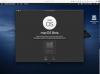
Attempting to install Big Sur beta released today on top of fresh Catalina 15.5.5 with parallels tools installed. Installation fails at the point of selecting the target hard drive... Any thoughts ?
 

Attachments

  • Screen Shot 2020-06-22 at 7.04.43 PM.png
    Screen Shot 2020-06-22 at 7.04.43 PM.png
    840.5 KB · Views: 146
I am unable to upgrade from 10.15.6 Beta (10G46c), I am receiving the following error:
The operation couldn't be completed. (BIErrorDomain error 3.)
I have tried installing on the same HD as the Catalina Beta and also tried adding a new HD but the same issue...
I'm using Parallels Desktop 15 Pro Edition
Version 15.1.4 (47270)
 
First issue.... parallels desktop 16 build 48516
I tried to report this through the beta reporting mechanism, but it appears to be dead and hangs.
Attempting to install Big Sur beta released today on top of fresh Catalina 15.5.5 with parallels tools installed. Installation fails at the point of selecting the target hard drive... Any thoughts ?
Hello, thank you for the provided information. Could you collect the tech report right after the issue reproduced please?
Please also post your report's ID here.
Looking forward to your reply.
 
I installed the Big Sur beta on a 2018 Mac Mini (host OS) and found that the "t" and "y" keys don't work in any Parallels VMs. I noticed that right away on a Windows 10 VM and also found that the keys didn't work on a Linux live boot CD. Creating a custom entry send-key for "t" and "y" does work - had to do that to enter a password :)

Other than that obviously important issue, I was pleasantly surprised that everything else seems to generally work under Big Sur.

I know this is completely unsupported by everyone involved, but any guesses on a workaround? I didn't see many options to try fiddling with in terms of keyboard settings.
 
Try as I might tonight, it seems the hard drive format just won't work. I installed Parallels inside a Big Sur install on an external drive and tried some things, but couldn't ever get anything to install, not from a time machine backup of Big Sur or a usb stick installer. I was actually hoping I could boot the VM from a real hard drive, but I only have one Big Sur install at the moment and that drive won't mount in Cataline, so something has changed with the drive format for sure. Tomorrow I may put Big Sur on a second usb drive and try to boot from one, run Parallels and then boot from the other in parallels just to see if it might actually run. I still don't think I'll be able to make any sort of bootable VM file from it though.
 
Hello everyone! This thread is dedicated to your feedbacks and questions about macOS Big Sur and Parallels Desktop, feel free to share them. Since the beta version of macOS Big Sur has just been released, the compatibility of Parallels Desktop and macOS Big Sur hasn't been fully tested yet by the Parallels Engineering Team. On the other hand, your feedbacks will help us to test and cover as many scenarios as possible. If your feedback includes technical data along with a short description of the situation you encountered, it will make further troubleshooting and resolution more efficient.
I got the Big Sur running with an external bootable drive. The screen defaults to low res and it is slow. I tried to install the parallels tools, and it showed as successful installation, but when I restart the VM, it is still inferred as not installed. My report ID is 343177820
 
After upgrade, my Windows 10 VM can not start, Parallels keeps telling me "To complete Parallels Desktop setup, please restart your Mac.". Then Parallels became No Responding after click any button. After restart mac, nothing changed.
 
After upgrade, my Windows 10 VM can not start, Parallels keeps telling me "To complete Parallels Desktop setup, please restart your Mac.". Then Parallels became No Responding after click any button. After restart mac, nothing changed.

The same happened to me but I found a solution:
  1. restart your Mac
  2. hold CMD + R while booting
  3. wait; then login with your macOS credentials
  4. in the menu bar go to utilities > terminal
  5. enter the following "spctl kext-consent add 4C6364ACXT" and press the return key
  6. go to the Apple menu in the menu bar and click restart
Thank you for your reply and the provided information. We will escalate it for the further investigation.
Thank you once again.

Unfortunately Windows 10 crashes after successful login (report ID: 343180411)
 
I installed the Big Sur beta on a 2018 Mac Mini (host OS) and found that the "t" and "y" keys don't work in any Parallels VMs. I noticed that right away on a Windows 10 VM and also found that the keys didn't work on a Linux live boot CD. Creating a custom entry send-key for "t" and "y" does work - had to do that to enter a password :)

Other than that obviously important issue, I was pleasantly surprised that everything else seems to generally work under Big Sur.

I know this is completely unsupported by everyone involved, but any guesses on a workaround? I didn't see many options to try fiddling with in terms of keyboard settings.

Ive also found 1 and 2 keys not working. Shift and the key does (same on the t and y).
Very odd bug!
 
Haven't even been able to install it...getting "BIErrorDomain error 3." when installing into my VM.

I saw that some VM Fusion users got around this:

"...if using Fusion make sure your Fusion vmx config file has the following configured:
board-id.reflectHost = "TRUE""

But no idea where/how to do the same for Parallels.
 
Back
Top