
Install the app
How to install the app on iOS
Follow along with the video below to see how to install our site as a web app on your home screen.
Note: This feature may not be available in some browsers.
You are using an out of date browser. It may not display this or other websites correctly.
You should upgrade or use an alternative browser.
You should upgrade or use an alternative browser.
MacOS 10.13 wants to install and won't go further
- Thread starter DinsyP
- Start date
Arun@Parallels
Parallels Support
Arun@Parallels
Parallels Support
Hi, please let us know the version of Parallels Desktop for mac and your host OS you have installed on your mac.
S
Sathiya@Parallels
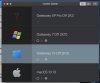
Please click on the Parallels Desktop icon in the Mac menu bar on the top (it looks like 2 red lines) and select 'Control Center', take a screenshot of the window and reply with the same. Also, provide the file size of the macOS virtual machine.Parallels 14.01 on Mojave 10.14
Arun@Parallels
Parallels Support

Elric
Parallels Team
Hi,Hi Arun,
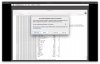
Here is a screen shot of the final screen.
Are you installing from VM with pointing VM Create Wizard to "macOS Install.app"? This kind of errors occurs when Install.app is corrupted, for example incorrectly copied from another disk; this issue is that there are some symbolic links in Install.app and they becomes corrupted if incorrectly copied.
Hello DinsyP! Perfect, We are glad to hear that the issue is resolved. please check with the performance and if the issue reoccurs then generate a Technical Report ID (refer to http://bit.ly/1lUhbwK for assistance) while the issue occurs/the error message is being displayed (very important) and reply with the report ID number. We'll then investigate.And really weird, I started the VM and when asked to restart because the installer wouldn't work, the VM actually started correctly. Was even able to update the OS. Crossing fingers that this good behaviour continues.