Hello,
I am running Parallels Desktop 13.1.1 on macOS 10.12.6 (host), 2016 tbMBP 15, retina 1440x900.
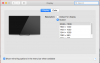
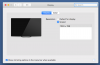
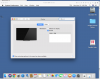
I created a macOS 10.12.6 (guest) VM. I have the "Best for Retina display" option checked in "Hardware" ---> "Graphics" settings, but the only resolution available in the VM system preferences is 1024x768. In the VM I see the menu "Connected Projector: Display" grayed out, with "Use As Separate Display" checked. Does the VM think it is connected to a projector? How can I change this and get all the resolutions listed in the Display settings, so I can run the VM with Retina resolution? Thanks.
I am running Parallels Desktop 13.1.1 on macOS 10.12.6 (host), 2016 tbMBP 15, retina 1440x900.
I created a macOS 10.12.6 (guest) VM. I have the "Best for Retina display" option checked in "Hardware" ---> "Graphics" settings, but the only resolution available in the VM system preferences is 1024x768. In the VM I see the menu "Connected Projector: Display" grayed out, with "Use As Separate Display" checked. Does the VM think it is connected to a projector? How can I change this and get all the resolutions listed in the Display settings, so I can run the VM with Retina resolution? Thanks.