Macbook Pro 16'' Windows goes in standby while Gaming

kubilayoezcan

Bit poster
Anyone have a solution for the Macbook Pro 16" screen trying to go to sleep/dimming while playing a game on Windows 11 via Steam?
the game hangs and I have to restart Windows

I have already done the following steps:
- Windows 11 re-installed on Pararells
- Reinstalled Steam
- reinstalled the game
- performed all updates
- minimised graphics settings
- Resolutions respected
I have exactly the same problem with the same Macbook Pro 16'' M1 Max.

 
The problem you are having is not from Parallels Desktop or Windows. By design, your Mac will "turn off display" or go into "sleep mode" if your macOS is inactive after a set time. macOS "thinks" it is being inactive because you are playing games INSIDE the Parallels Desktop ENVIRONMENT, while you are not really "doing" anything under the macOS environment.

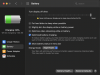
-> To make your Mac never "turn off display" or go into "sleep mode", go to [System Preferences] > [Battery]
1) Click on the [Battery] option on the left panel, move the slider under [Turn display off after] all the way to [never].
2) Click on the [Power Adapter] option on the left panel, move the slider under [Turn display off after] all the way to [never]. And, check the box next to [Prevent your Mac from automatically sleeping when the display is off].

Now, you should be able to play games or run programs in Windows inside Parallels Desktop environment indefinitely without worrying that your Mac would "turn off display" or go into "sleep mode".

Cheers...
 
Here's a couple of screenshots
 

Attachments

  • Screen Shot 2022-02-07 at 11.17.10 PM.png
    Screen Shot 2022-02-07 at 11.17.10 PM.png
    479.5 KB · Views: 17
  • Screen Shot 2022-02-07 at 11.17.00 PM.png
    Screen Shot 2022-02-07 at 11.17.00 PM.png
    515.6 KB · Views: 13
Same issue... this drive me crazy... I tried everything.
If you are facing an issue while gaming , for us to further investigate the technical issue, kindly provide us with the following information:
1. Detailed explanation, with all steps by steps followed, to reproduce the issue.
2. Reproduce the issue and collect a technical report (right-click Parallels icon in Dock > Help > Send technical data > check "Attach screenshots..." > press Send Report) and provide us with the report's 9-digit ID in reply to this post.
Thanks
 
Back
Top