
Install the app
How to install the app on iOS
Follow along with the video below to see how to install our site as a web app on your home screen.
Note: This feature may not be available in some browsers.
You are using an out of date browser. It may not display this or other websites correctly.
You should upgrade or use an alternative browser.
You should upgrade or use an alternative browser.
M1 Installation Issue - Windows will not connect to internet
- Thread starter ScottS36
- Start date
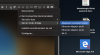

Where do you find these options?Check how the status change.
View attachment 17317

Elric
Parallels Team
I'd appreciate if someone who can stabily reproduce the problem that requires switch shared<->bridged could contact support to agree about a remote session. We don't have local reproduction and we'd really like to investigate and fix the issue. Post me via private message the ticket number,
I solved a similar problem on macOS M1 (11.3.1) by disabling IPv6 on my network.
It seemed to resolve the issue immediately, but I've not worked out yet whether the problem lies with the preview build of Windows (21354) or Parallels (16.5.0). A brief packet capture suggested that DHCP requests from Windows never made it as far as the host's network interface.
It seemed to resolve the issue immediately, but I've not worked out yet whether the problem lies with the preview build of Windows (21354) or Parallels (16.5.0). A brief packet capture suggested that DHCP requests from Windows never made it as far as the host's network interface.
Hi guys, I've tried all fixes and nothing is working for me. I constantly have no internet connection on my VM while it work perfect in my Apple M1 so I'm more then willing to help you with the remote session. I've contact support last week and still no response!
I'd appreciate if someone who can stabily reproduce the problem that requires switch shared<->bridged could contact support to agree about a remote session. We don't have local reproduction and we'd really like to investigate and fix the issue. Post me via private message the ticket number,
I'd appreciate if someone who can stabily reproduce the problem that requires switch shared<->bridged could contact support to agree about a remote session. We don't have local reproduction and we'd really like to investigate and fix the issue. Post me via private message the ticket number,
I'm same as well Ticket:2966428 Tried to send Private message but found no option to do such.
Thanks

Maria@Parallels
Problem solver
Hi,Tried all of the above--nothing works. Any assistance would be appreciated.
could you collect the tech report once the issue reproduced and post the report's ID here please?
Maria@Parallels
Problem solver
Hello,I also have the same problem. When installing windows i can't go past the "connect Internet" part without choosing the other option -"I dont have internet"
Could you share with us your Parallels Desktop and macOS versions?
StephenM20
Bit poster
I am using parallel 17 macOS 11.6 on a MacBook Air M1. Beyond thing is when I first installed everything over Wi-Fi everything worked perfect. For a moment I was impressed. Then the next morning came and I spun up my virtual instance of windows 11 and had no Internet I also discovered that MacBook Air host had no Internet outside of your application. If I spin up your app I can access the Internet on the MacBook, however as soon as I launch the VM Internet dies and even when I remove the VM and close it down the Internet is still dead I have to close your app in order for the Internet to be restored instantly. I've went through all the settings and followed everything everyone else is done here. This is September 2021, I can't believe there's not a solution yet. Please advise. On the positive side if I'm connecting on a wired connection everything runs fine it's just trying to run it over Wi-Fi. And the whole purpose of having a laptop is reportability I cannot be wired forever. On a sidenote I can change the adapters on the VM and it's not consistent but I can get Internet, however the host is dead in the water and cannot get Internet , I believe I tried the default setting. But in any case using any other setting post and VM gets no Internet I have to close the program down to restore Internet to my host machine. Again this is over Wi-Fi. Please fix