I can't get Windows 7 to recognize my mouse to reconfigure the center button. Logitech M510. Left and right buttons work fine but in the Logitech software installed in Windows the mouse can't be found. Mac recgnizes the mouse and I can configure the mouse in the Mac platform but the center function doesn't translate to Windows. Thanks

Install the app
How to install the app on iOS
Follow along with the video below to see how to install our site as a web app on your home screen.
Note: This feature may not be available in some browsers.
You are using an out of date browser. It may not display this or other websites correctly.
You should upgrade or use an alternative browser.
You should upgrade or use an alternative browser.
Logitech Mouse non functioning properly
- Thread starter GuyG1
- Start date
-
- Tags
- center button logitech m510 mouse

Hemnath@Parallels
Parallels Support
Hello GuyG1. So this means that the left and right buttons work in Windows, only the center button doesn't? Also, please share a screenshot of where the mouse should be detected in Windows within the Logitech software.Left and right buttons work fine but in the Logitech software installed in Windows the mouse can't be found.
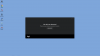
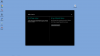
The mouse is plugged into the Mac. Functions normally for Windows and Mac except under Windows can't change the fuctions on the mouse itself. I have a Futures trading program (Ninja Trader) that requires the center mouse button to execute certain types of entries and exits. I have the Mouse software loaded in the Mac OS and Windows platform as well. I can change the mouse under Mac but the center button still won't function under Windows.
Hemnath@Parallels
Parallels Support
Please shut down Windows, click on the Parallels Desktop icon in the Mac menu bar on the top (it looks like 2 red lines), navigate to Preferences -> Shortcuts -> Mouse Shortcuts and assign a shortcut for 'Middle click:' in that screen. Does this let you achieve the desired effect within Windows?The mouse is plugged into the Mac. Functions normally for Windows and Mac except under Windows can't change the fuctions on the mouse itself. I have a Futures trading program (Ninja Trader) that requires the center mouse button to execute certain types of entries and exits. I have the Mouse software loaded in the Mac OS and Windows platform as well. I can change the mouse under Mac but the center button still won't function under Windows.
Hemnath@Parallels
Parallels Support
You're welcome. Keep us posted.Can't check it untill Monday when the futures market opens..will try it then and let you know....thank you so much for responding so quickly.
Hemnath@Parallels
Parallels Support
You're welcome. Appreciate your discernment. Please post again in case you've got additional questions.Fixed it....on the Mac Platform (where the mouse is recognized) I assigned the middle button as "middle button" on the Logitech software. Go figure. Thank you for your help.