I moved my system, on an external drive, to a new Mac.
I was surprised to find that parallels stopped working.
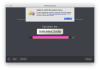
"Your product activation key reached its activation limit."
There is evidently no way to solve this in an automated fashion. I am hoping to use the software that I purchased.
I cannot deactivate parallels on the old computer, because the system is now on a new computer.
I did not anticipate having to go through all of my software and deactivate licenses before moving the hard drive to the new computer.
I was surprised to find that parallels stopped working.
"Your product activation key reached its activation limit."
There is evidently no way to solve this in an automated fashion. I am hoping to use the software that I purchased.
I cannot deactivate parallels on the old computer, because the system is now on a new computer.
I did not anticipate having to go through all of my software and deactivate licenses before moving the hard drive to the new computer.